← All projects

A Voice Assistant Prototype

Hey,
Chef!

A voice-based interface where users can talk to their kitchen to find and follow recipes while controlling their appliances as they cook.

Role
Sole Designer
Team
Solo
Duration
~2 Weeks

Project Goal

  • Create a prototype for a voice-based interface where users of this system can talk to their kitchen to find and follow recipes while also controlling their appliances as they cook

My Contributions

I was the only designer involved in this ~2 week project.

Skills Exercised

Six methods carried the project from a paper kitchen to a working-looking prototype.

  1. Sketching
  2. Storyboarding
  3. Semi-structured Interviewing
  4. State Transition Diagramming
  5. Wireframing
  6. Video Prototyping

Getting Started

Sketching

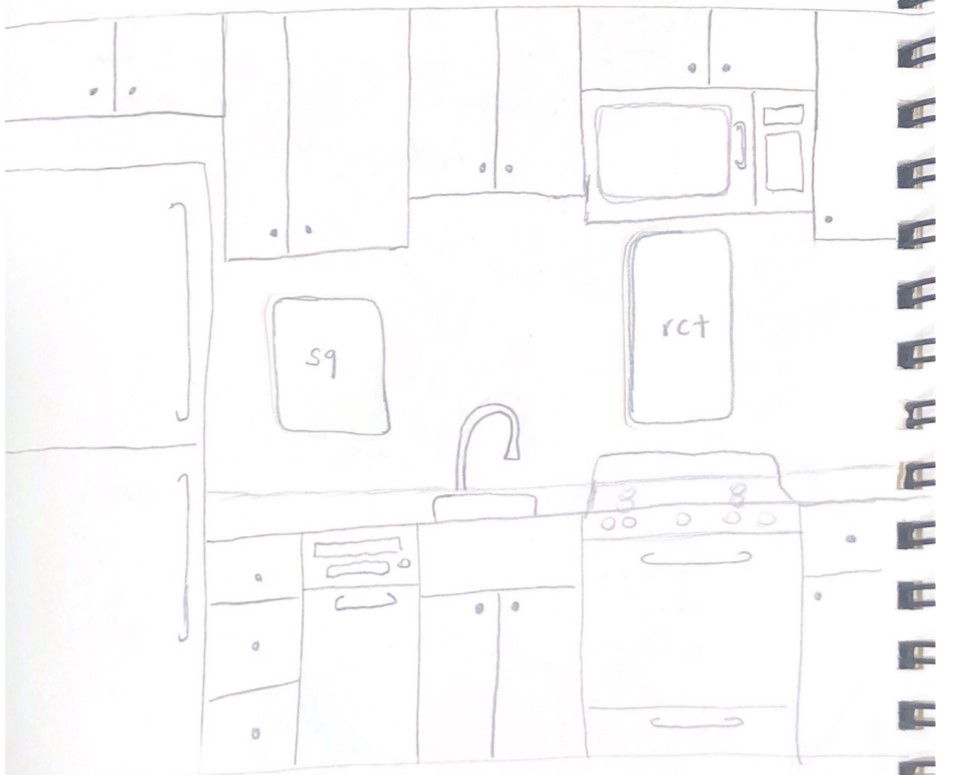
I sketched my kitchen approximately to scale and cut out/moved around different shapes to decide on the physical interface.

Pencil sketch of a kitchen drawn approximately to scale on notebook paper, showing upper and lower cabinets, a refrigerator, a sink with faucet, a stove and an oven, with paper cut-outs labelled sq and rct placed on the wall and cabinet to test interface shapes and positions.
Kitchen sketched to scale, with cut-outs used to test interface placement.

Storyboarding

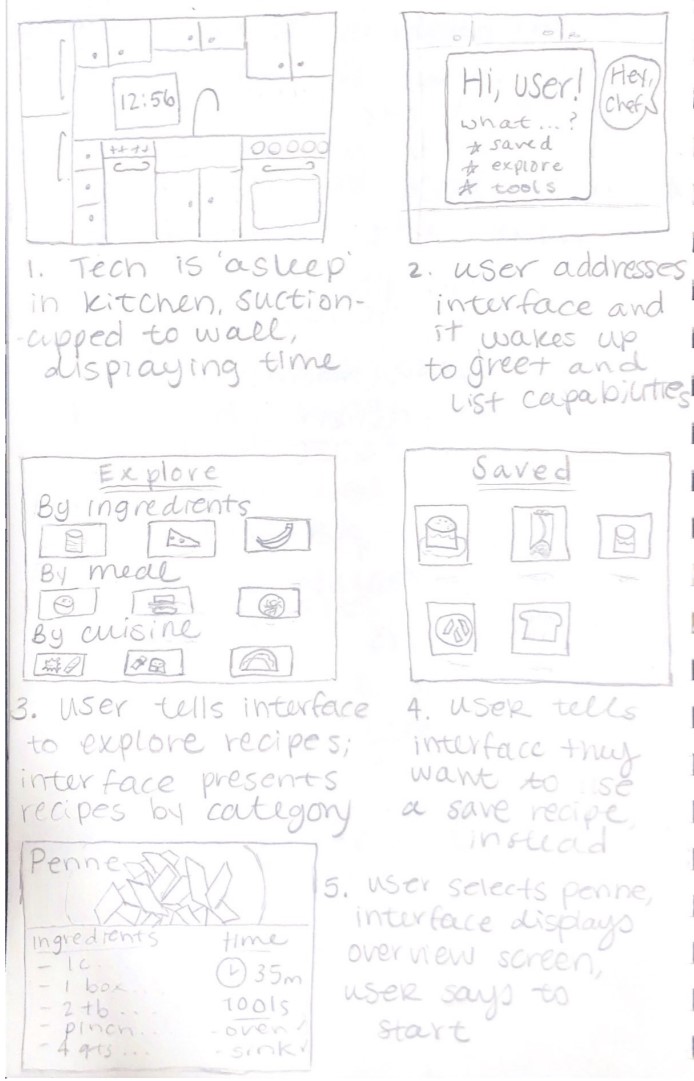
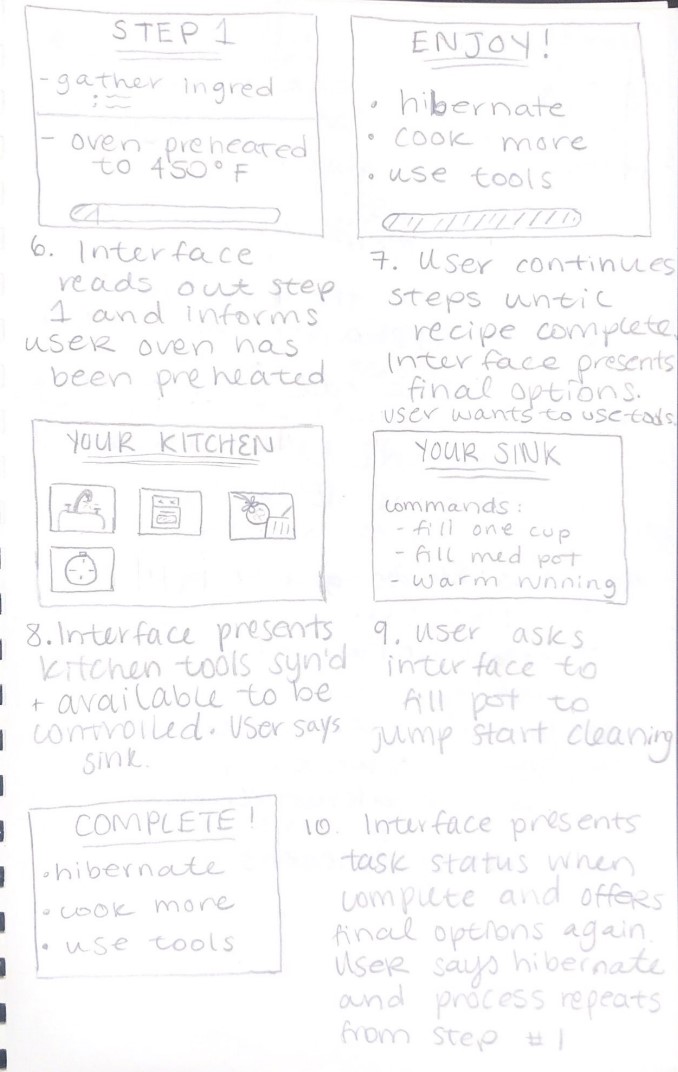
I then drew a story board to demonstrate the system's main functionality and interactions.

Hand-drawn storyboard, panels one to five: the interface asleep in the kitchen suction-cupped to the wall displaying the time; the user addressing the interface and it waking to greet them and list capabilities; the user asking to explore recipes and the interface presenting categories by ingredient, by meal and by cuisine; the user asking for saved recipes; and the user selecting penne, with the interface displaying an overview screen. Hand-drawn storyboard, panels six to ten: the interface reading out step one and confirming the oven has been preheated; the user continuing through steps until the recipe is complete and the interface offers final options; the interface presenting kitchen tools that are synced and available; the user asking the interface to fill a pot to jump-start cleaning the sink; and the interface presenting task status when complete and offering final options again.
Storyboard covering the full interaction, from hibernation to recipe completion.

Seeking Initial Feedback

I engaged 2 individuals with varying demographics for different perspective and conducted semi-structured interviews via Zoom calls.

Potential User #1

A full-time college student living in university housing with 3 roommates and a limited meal plan.

Favorite elements

  • Not a permanent install, accommodates different layouts
  • The recipe visuals, specifically the recipe overview layout

Suggestions

  • Phone app where user could sync recipes or upload their own recipe
  • Add icons to the recipe titles of utensils/appliances/time
  • Swap 'cuisine' category with cook time
  • Ability to skip steps
  • Eliminate number of commands needed to get to final outcome

Concerns

  • General accessibility concerns; for example, the deaf/HOH community
  • Safety concerns with assistant controlling open flames on stove/heating oven
Potential User #2

A parent with three young adult children in their household who works a full-time job nearby.

Favorite elements

  • Intuitive interfaces and work flow
  • Suggested commands on the screen

Suggestions

  • Don't have the assistant read off recipe names
  • Add pictures to each step of the recipe screens
  • Have option to command what you know you want to do versus browsing
  • Add a fourth explore recipes category for time constraints
  • Ability to sync with Pinterest

Concerns

  • Longer to say multi-step commands than to just do it yourself

Defining Further

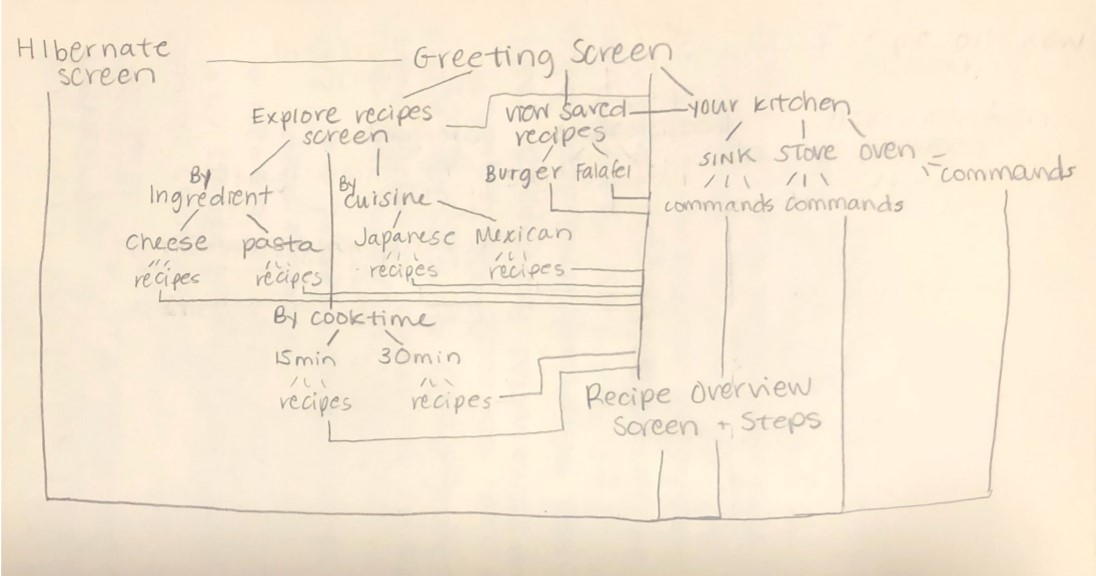
I created a state transition diagram to define the different conversational paths, or commands, that the system will offer.

Hand-drawn state transition diagram. The hibernate screen leads to the greeting screen, which branches to explore recipes, view saved recipes and your kitchen. Explore recipes branches by ingredient into cheese and pasta recipes, by cuisine into Japanese and Mexican recipes, and by cook time into fifteen and thirty minute recipes. Saved recipes lists burger and falafel. Your kitchen branches to sink, stove and oven commands. Recipe paths converge on a recipe overview screen and steps.
State transition diagram mapping every conversational path through the system.

Increasing Fidelity

I utilized Figma to design wireframes of the screens. I used the check accessibility plugin to ensure that the color choices considered are accommodating.

See every screen with its rationale →

Video Prototyping

I created a prototype video using an iPad Pro to display the wireframes and TikTok's text-to-speech functionality to narrate, then edited the video in a quasi-Wizard-of-Oz manner so that Hey, Chef! appears to function as expected.

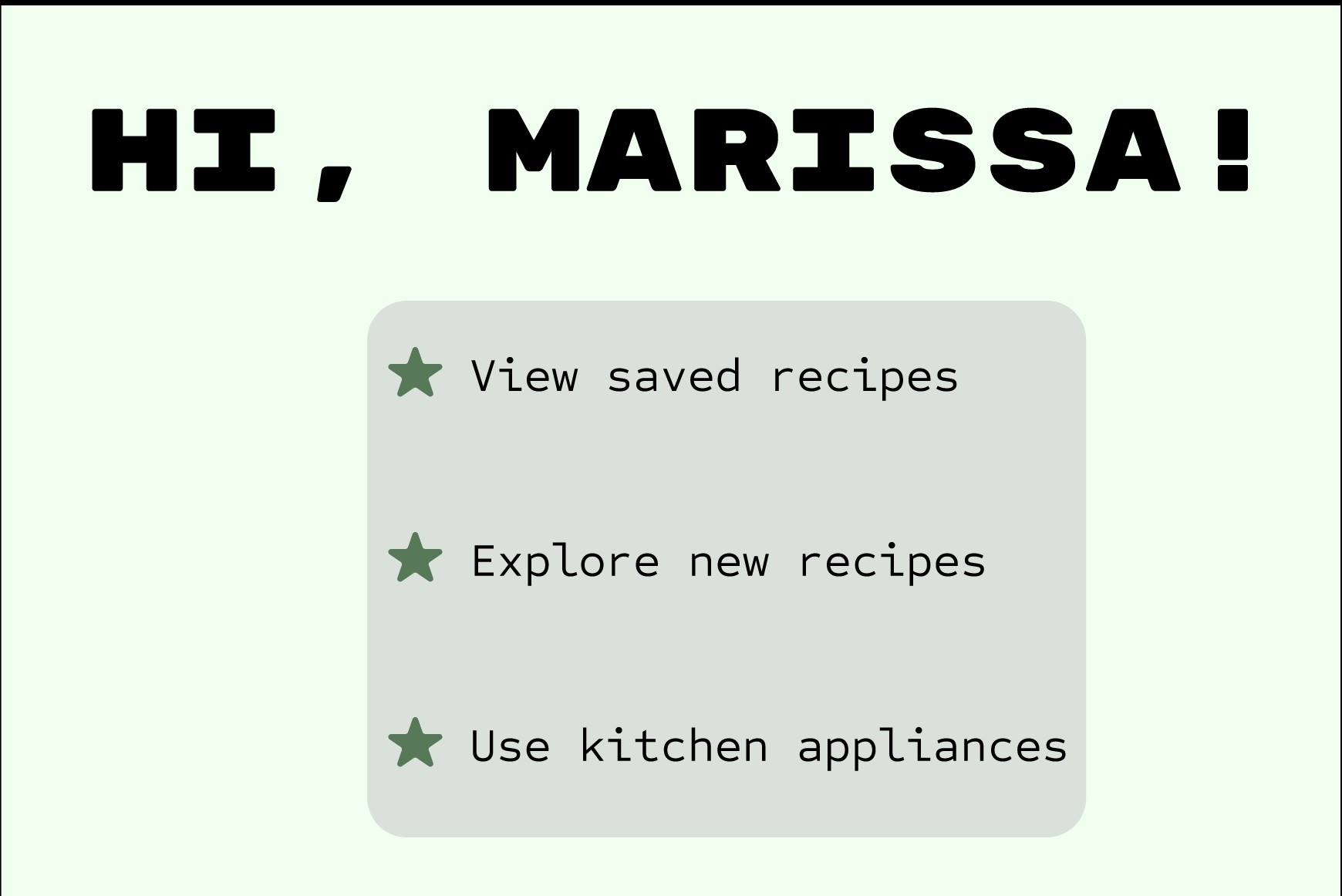
Greeting screen reading Hi, Marissa! with suggested commands Prototype video to be added
Wizard-of-Oz video prototype of the full interaction.

Design Justification

Every screen, and the reasoning behind the decisions that shaped it.

Physical Interface

  • iPad-shaped interface: mobility to secure to any surface & accommodate for varying kitchen layouts
  • Small/medium screen size: prioritize verbal interactions over visual/physical ones
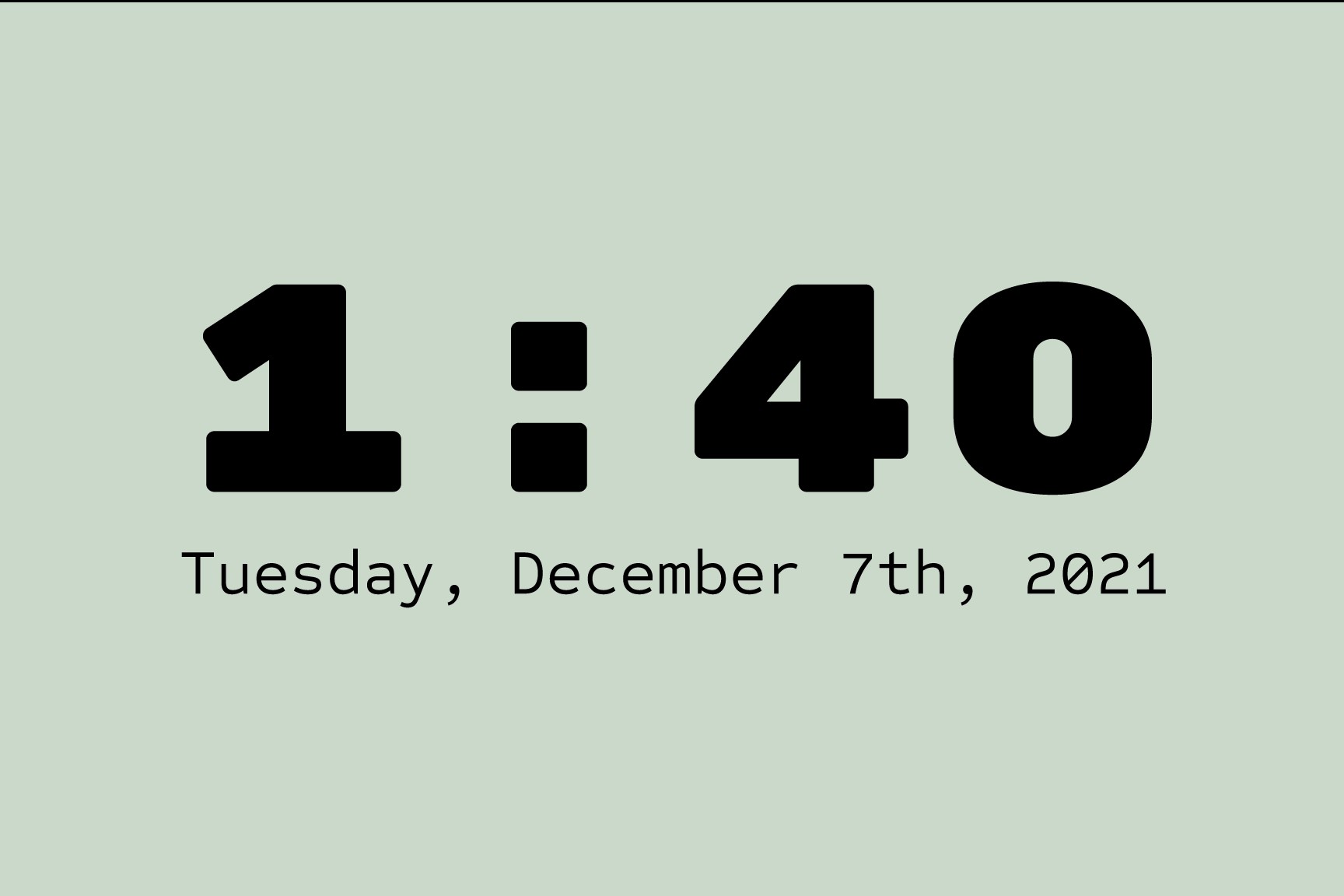
Hibernation screen: a pale green screen showing the time 1:40 in large bold type above the date, Tuesday, December 7th, 2021.

Hibernation Screen

  • Blend into any kitchen and provide information passively until welcome word activation
Greeting screen reading Hi, Marissa! above a panel of three starred example commands: view saved recipes, explore new recipes, and use kitchen appliances.

Greeting Screen

  • On-screen example commands: no verbal disruption to conversation flow
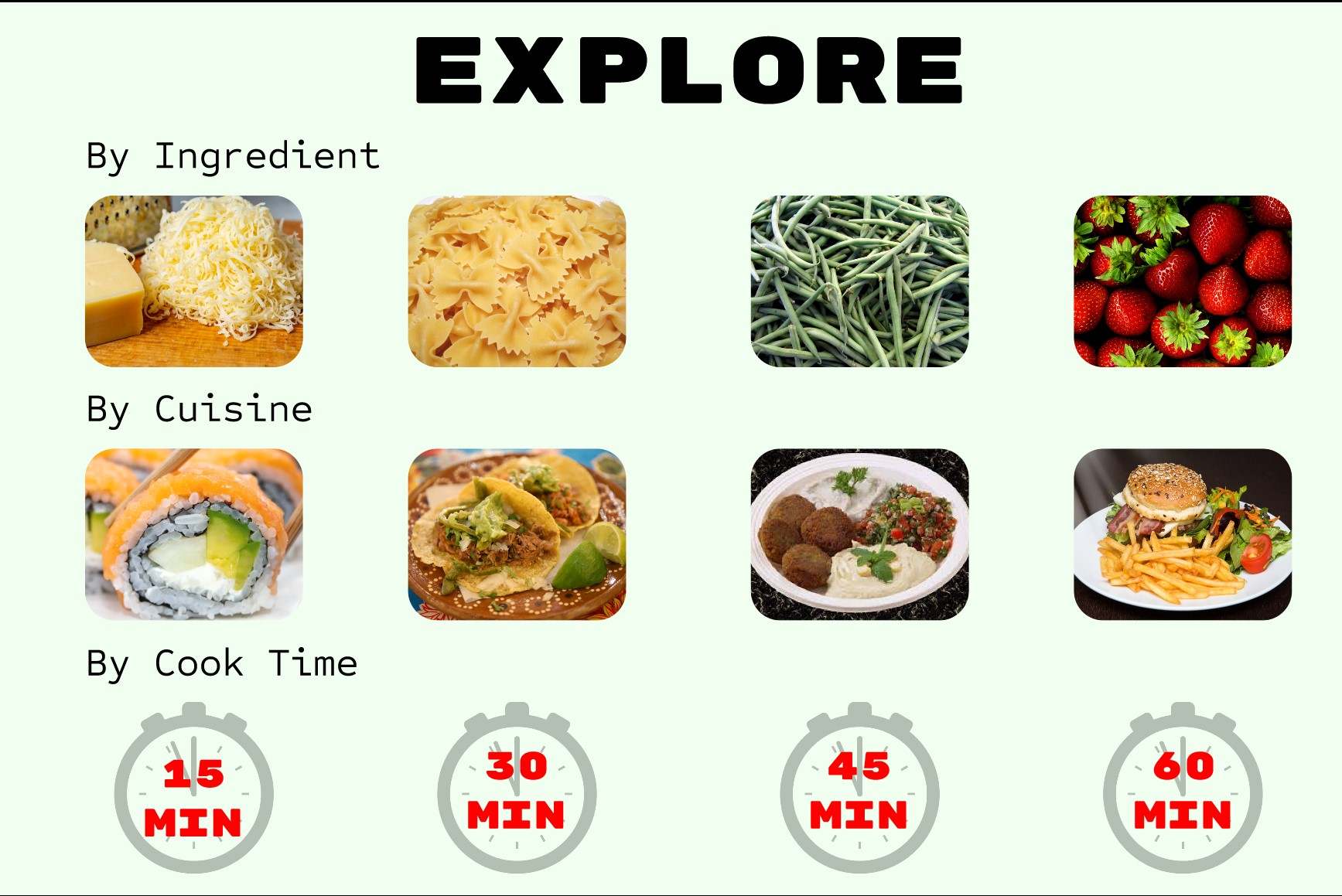
Explore screen with three rows of recipe tiles. By Ingredient shows cheese, pasta, green beans and strawberries. By Cuisine shows sushi, tacos, falafel and a burger. By Cook Time shows stopwatch icons for 15, 30, 45 and 60 minutes.

Explore Screen

  • Recipe categorization: facilitate recipe searches based on varying user wants/needs
  • Tiles for each recipe with photos: engage and help users process information quicker
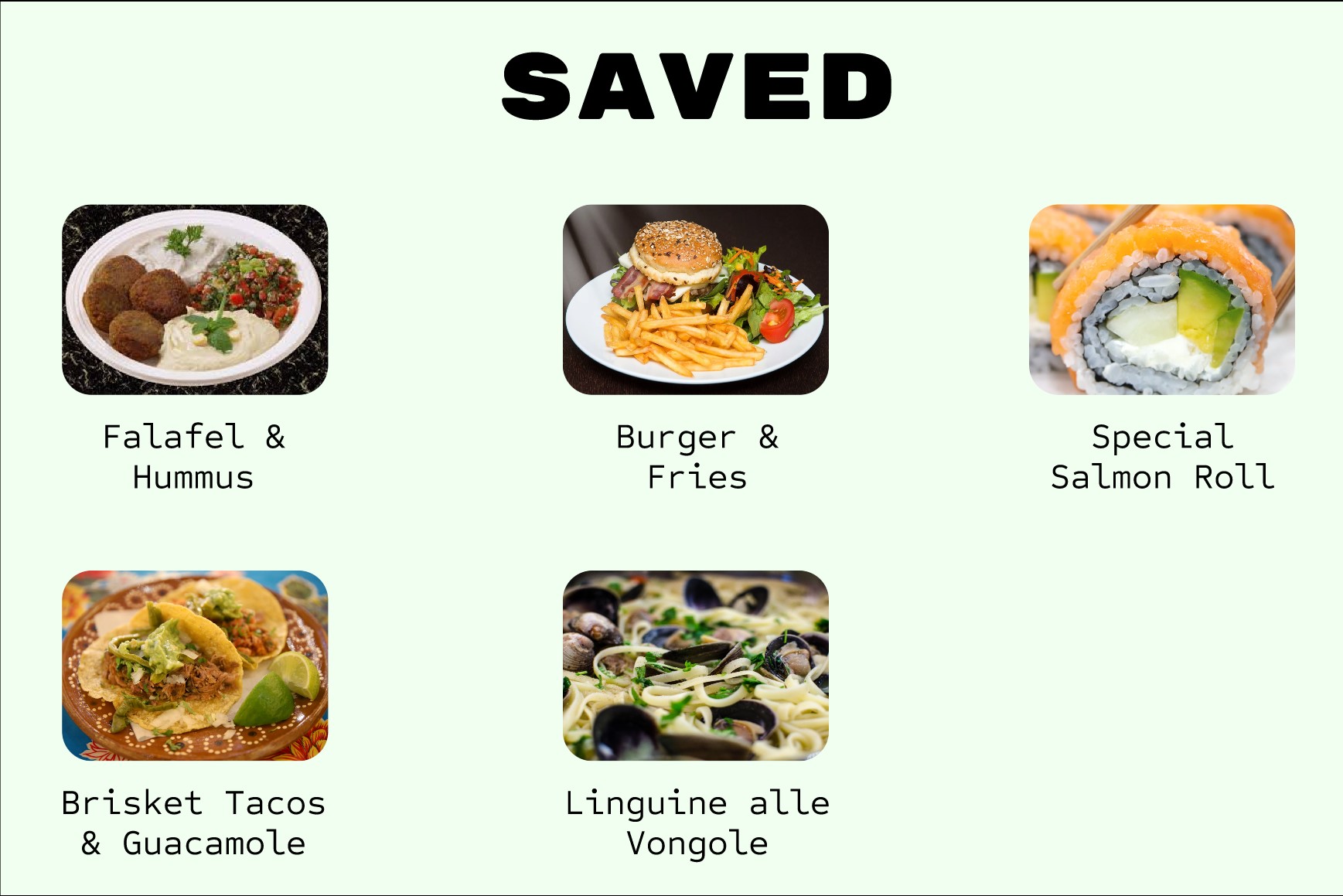
Saved screen showing five saved recipe tiles with photos and labels: Falafel and Hummus, Burger and Fries, Special Salmon Roll, Brisket Tacos and Guacamole, and Linguine alle Vongole.

Saved Recipe Screen

  • Provide quick access to desired recipes that the user can curate
  • Potential enhancement: Pinterest integration
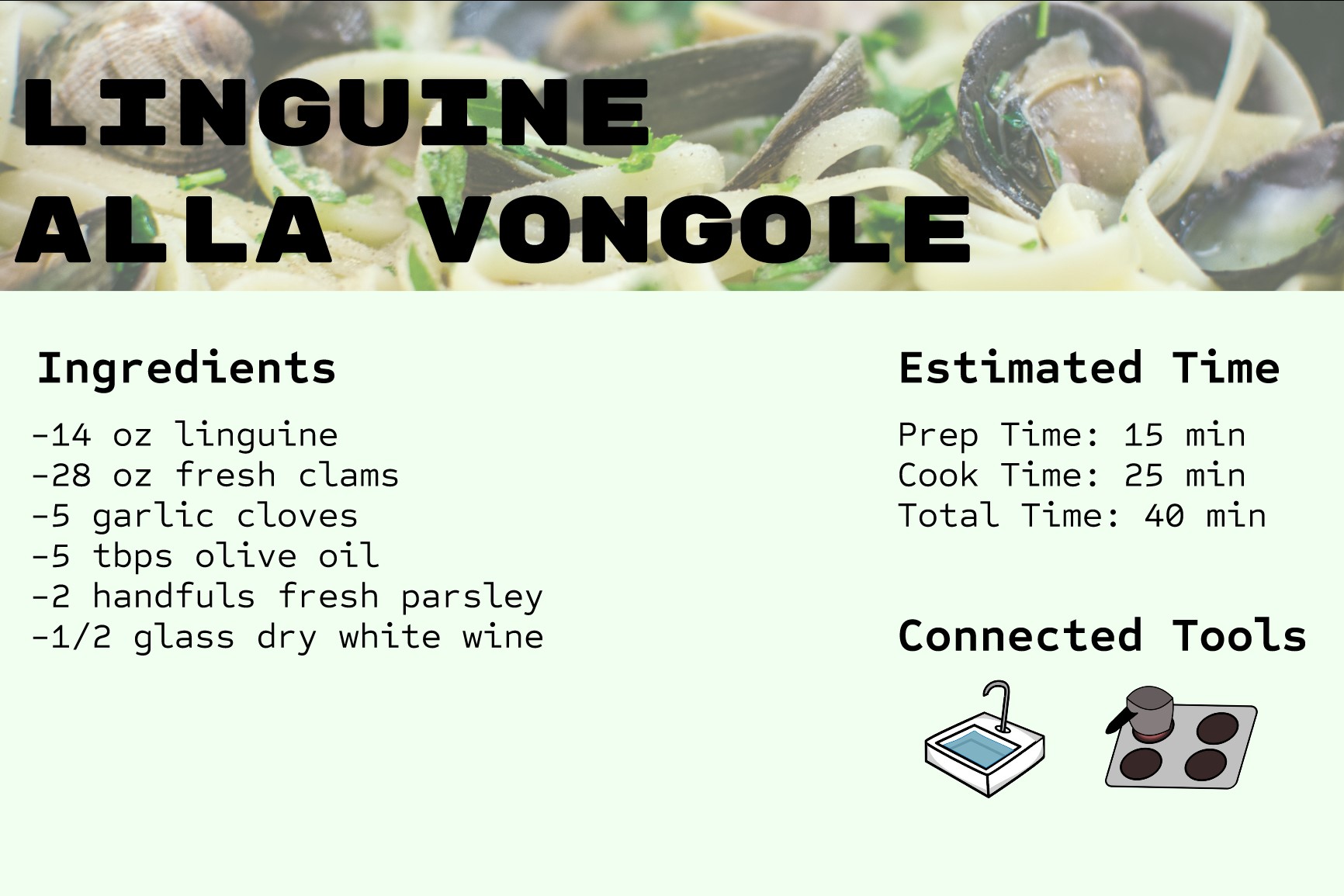
Recipe overview screen for Linguine alla Vongole. An ingredients list gives 14 oz linguine, 28 oz fresh clams, 5 garlic cloves, 5 tablespoons olive oil, 2 handfuls fresh parsley and half a glass of dry white wine. Estimated time gives prep 15 minutes, cook 25 minutes, total 40 minutes. Connected tools shows sink and stovetop icons.

Recipe Overview Screen

  • Efficiently display the most essential information
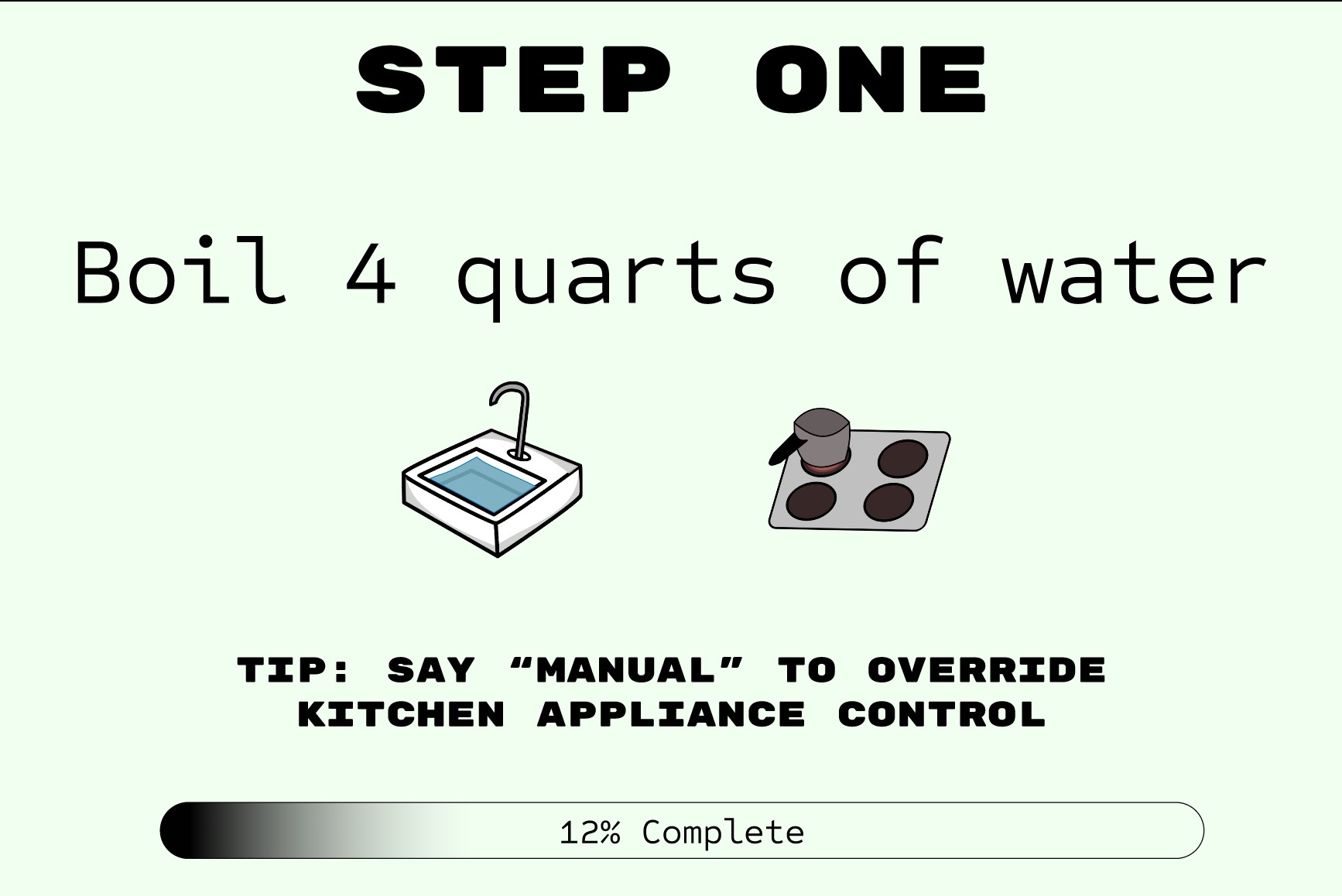
Recipe step screen headed Step One, reading boil 4 quarts of water, with sink and stovetop icons, a tip reading say manual to override kitchen appliance control, and a progress bar showing 12% complete.

Recipe Step Screen

  • Augment the verbal instructions with essential information needed for each step
  • Incorporated feedback: ability to override automatic appliance ignition
  • Potential enhancement: reminder to turn off appliance after recipe completion
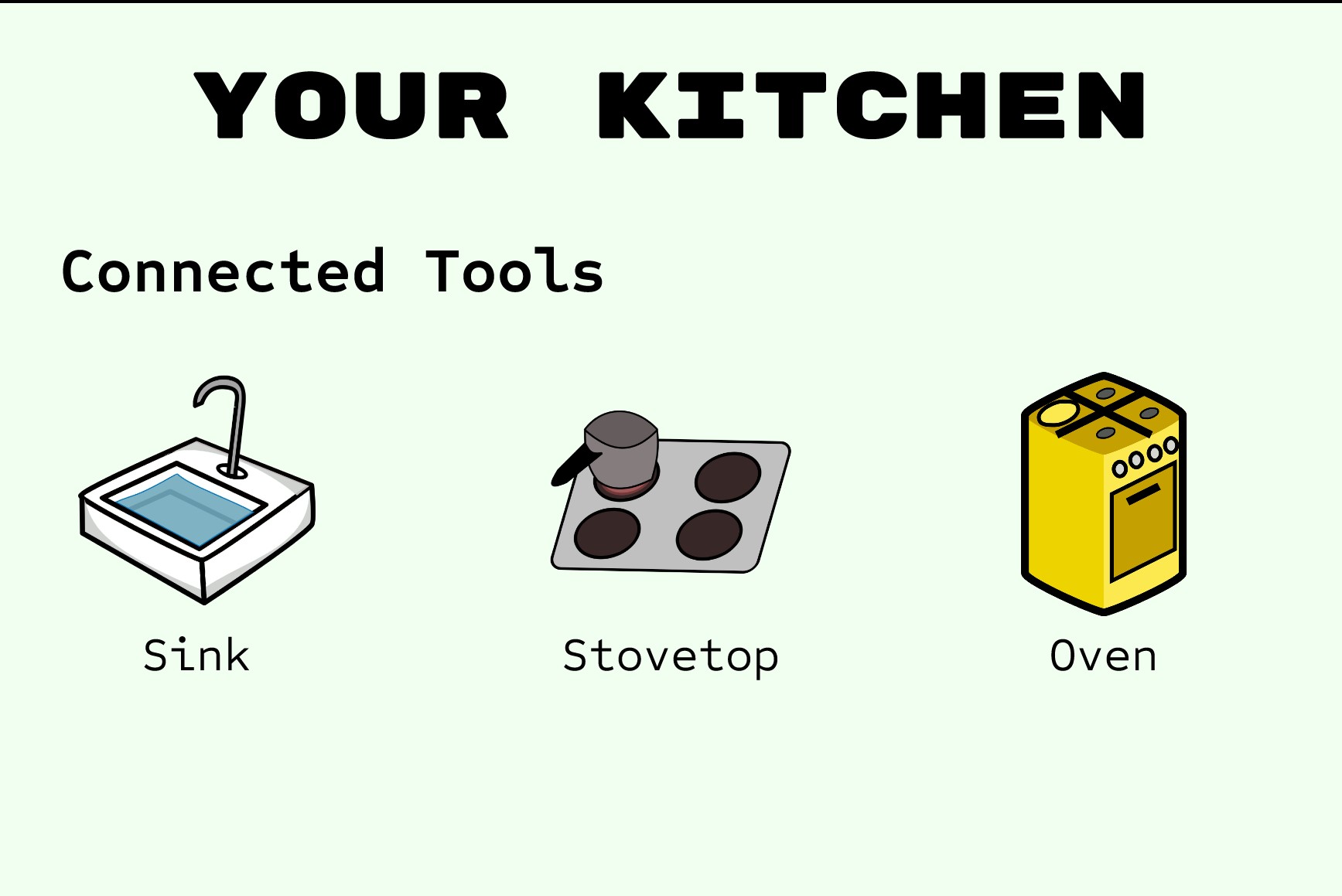
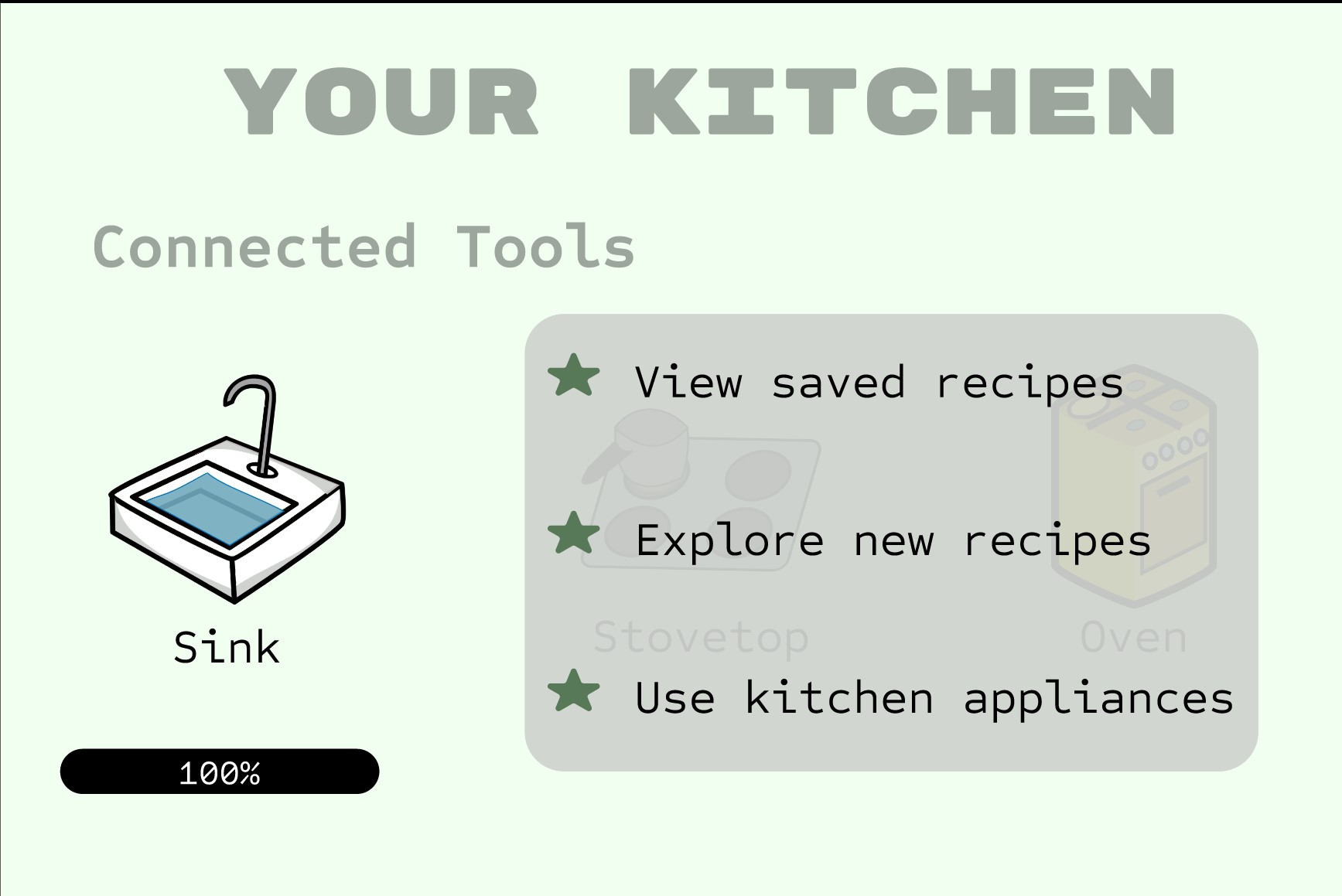
Your Kitchen screen listing connected tools with icons and labels for sink, stovetop and oven. Your Kitchen screen with the sink selected and filled to 100 percent, the stovetop and oven dimmed, and a panel of starred commands: view saved recipes, explore new recipes, and use kitchen appliances.

Your Kitchen Screens

  • Display all connected devices and tools: provide user affordance and direct actions