← All projects

AI Prototype

B(AI)LAR

Could a dance studio assess a new student's skill level online, and let them enroll without ever coming in for an in-person evaluation?

Project presentation.
Role
UX Designer
Team
Solo
Duration
3 Months

INFO 693 — April to June 2024

The Problem

Dance studios commonly require new and advancing students to complete a dance evaluation before enrolling in a class. Students must take the initiative to coordinate that evaluation with the studio and physically go there to complete it before they can enroll in and attend the class they want.

Evaluations do useful work, aligning students to classes that match their current skill level. The manual steps around them are the problem: they inconvenience the student and can result in business fallout, studio policy violations, or poor customer experience.

B(AI)LAR is a conceptual design exploring an opportunity for dance studios to incorporate artificial intelligence for dance skill assessment, and to introduce more self-service into online class enrollment.

Background

Grounded in empirical evidence from Latin dance studios in Chicago, Illinois, though the findings apply to any studio with a similar business model and policies.

Catering lessons to a student's skill level is critical to a class being effective and worth paying for, so classes are offered by level. Each studio defines its own set of techniques required at each level, and instructors assess new or advancing students against that checklist. Evaluations usually run twenty minutes or less and ask the student to demonstrate specific skills on demand.

Three business models

All three build schedules in four-week blocks called sessions, with classes once a week.

Drop-in

  • Each class focuses on a skillset to practice, and students can take several per session within their level
  • Students sign up for an evaluation once they have the minimum skills to advance
  • Passing unlocks the next level; failing means continuing to choose from classes at the current one
  • Only two evaluations exist per rhythm, so a student is only ever evaluated twice
  • More agency over what to pay to learn, but students must choose intentionally if they want to advance

Curriculum-based

  • Each class is a skill level with a specific skill to master, taken sequentially
  • Advanced classes refer back to previously learned patterns, so everyone in a class shares the same foundation
  • Students can only take classes at or below their level, capping how much is new each session
  • Evaluations happen after each session; failing means repeating a class

Rotating

  • Each class is a skill level, but the skill focus rotates session to session
  • The studio may suggest how long to stay at a level, but no evaluation is required to enroll
  • Students enroll on self-confidence, experience and desire
  • More agency across levels, but the skill focus is unknown until enrollment opens

Why skill level does not transfer

Because each studio defines levels differently, a student cannot assume their level moves with them. A student at a drop-in studio might pass the intermediate evaluation without ever taking beginner Dominican-style bachata footwork, because it was not required. If a curriculum studio counts that same footwork as a beginner skill, that student fails its evaluation and starts over at beginner, working back up.

Skill level is therefore subjective to the studio's definitions, which is precisely why evaluations exist. The design does not try to remove the evaluation. It asks how AI might enhance it: studios free up instructor time, and students gain scheduling flexibility, save the commute, and get a more streamlined enrollment.
Requirements

Functional

  • Embeddable
  • Always available
  • Accessible via mobile or web devices
  • Display camera feed
  • Overlay of user instructions
  • Make record of skills demonstrated
  • Run logic of evaluation record against evaluation criteria
  • Store evaluation record
  • Display summary of skills demonstrated
  • Display recommended class
  • Display skills library content

Non-functional

  • Intuitive process flow
  • Recognize niche movements
  • Request permission to access camera
  • Customizable evaluation criteria
  • Scalable libraries
  • Protect user data
  • Many users can use at any one time
  • Set clear expectations of evaluation criteria

Conceptual Model

A virtual solution that removes the physical step of going to a studio for a skill level evaluation before enrolling.

Rhythm libraries

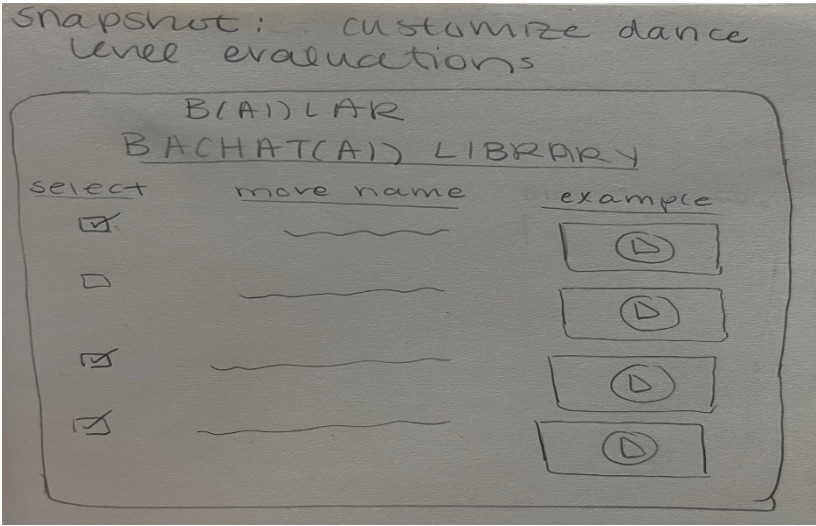
Pencil sketch headed snapshot: customize dance level evaluations. A rounded screen titled B(AI)LAR, BACHAT(AI) LIBRARY holds three columns: select, with a checkbox on each row and three of the four ticked; move name, with a wavy line standing in for each name; and example, with a play button in a box beside every move.
The studio side: a director builds an evaluation by ticking moves out of the rhythm library, with a video example beside each one.
  • The system is built from libraries of dance rhythms — ChaChaChAI, BachatAI and SalsAI — each holding a database of coded movements critical to that rhythm
  • Studios customize their package with only the libraries they need, which raises the value proposition since studios differ in what they offer
  • Directors design their own evaluations by selecting movements from a list, kept simple so moves are easy to select or de-select
  • Each movement carries a supplementary video, so a director can see exactly how the system has been coded to recognize it
  • If a coded movement differs from what the studio expects, they can omit it or work with the system to add their version to the library

The student flow

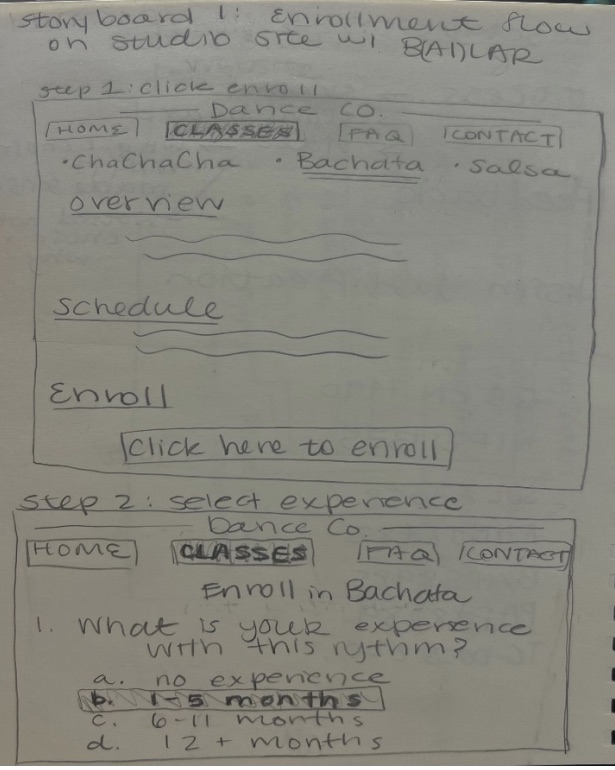
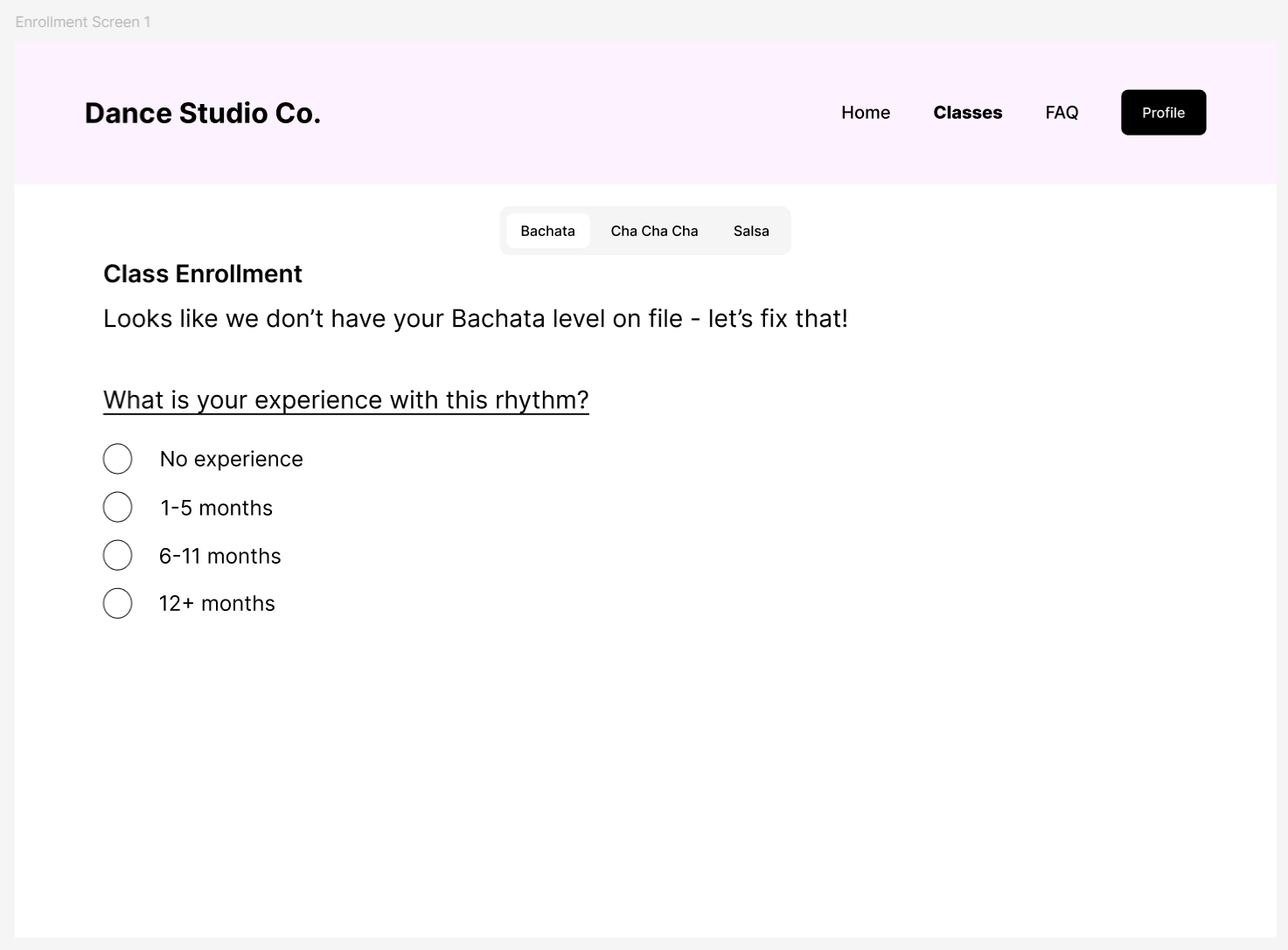
  1. The student elects to enroll in their desired dance rhythm.
  2. They answer a basic question about their experience with that rhythm, which vets them and starts the baseline assessment.
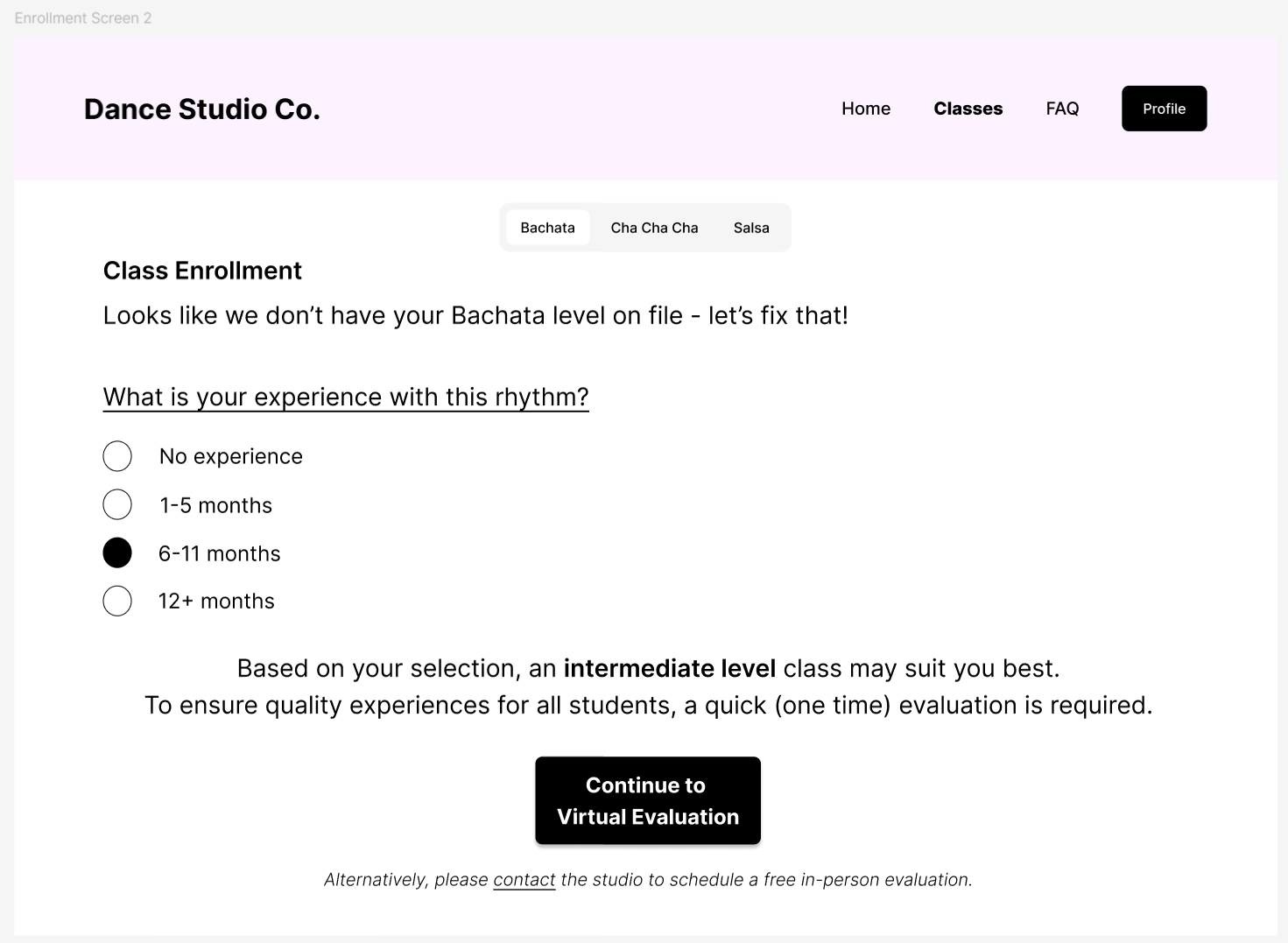
  3. Logic suggests a general skill level, such as Novice, Beginner, Intermediate or Advanced.
  4. A screen explains the level and the studio's definition of the moves expected at it, keeping the student in the loop and showing how this studio defines that level.
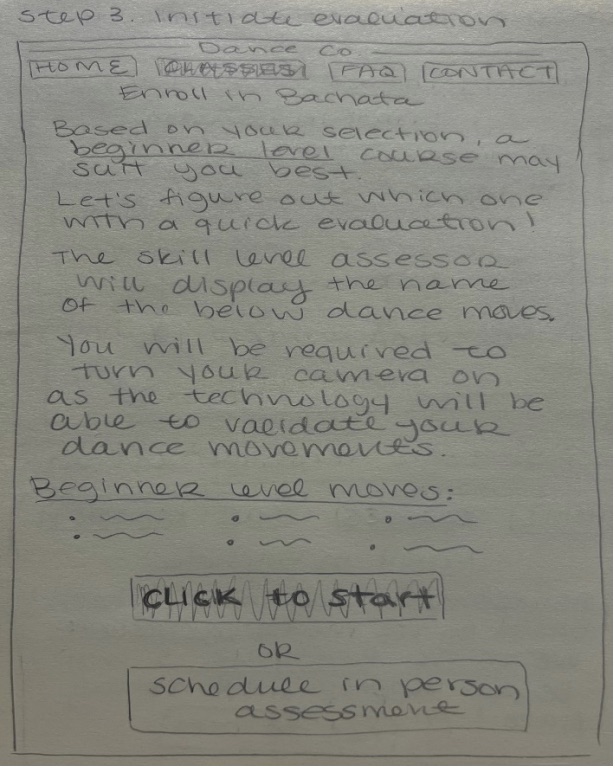
  5. The interface lists the instructions and moves the studio is looking for, so the student can prepare and enter the assessment with confidence. They can start, or schedule an in-person assessment instead, since studios should accommodate anyone who cannot or would rather not do it online.
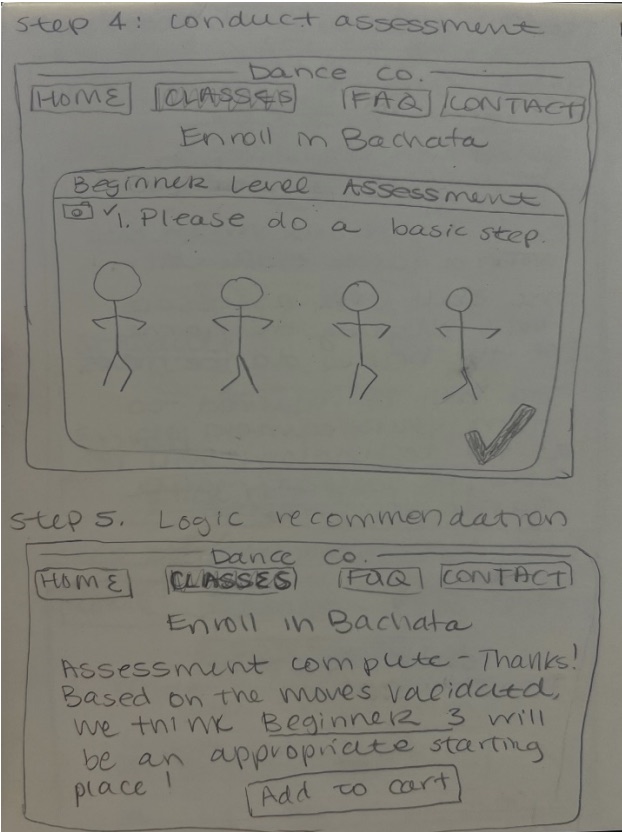
  6. The camera activates, the interface displays each requested move and validates it, showing a green check mark before moving to the next, until every assigned move has been attempted.
  7. B(AI)LAR stores the assessment to the student's profile and applies studio-defined logic to recommend a class, presenting an explanation and the option to add it to the cart.

Ethical Issues

For B(AI)LAR to genuinely benefit studios and students, four concerns had to be faced directly.

Diversity

  • The model must learn from a representative variety of body types and skin tones
  • It should recognize the same core characteristics of a movement regardless of what the user looks like

Data management

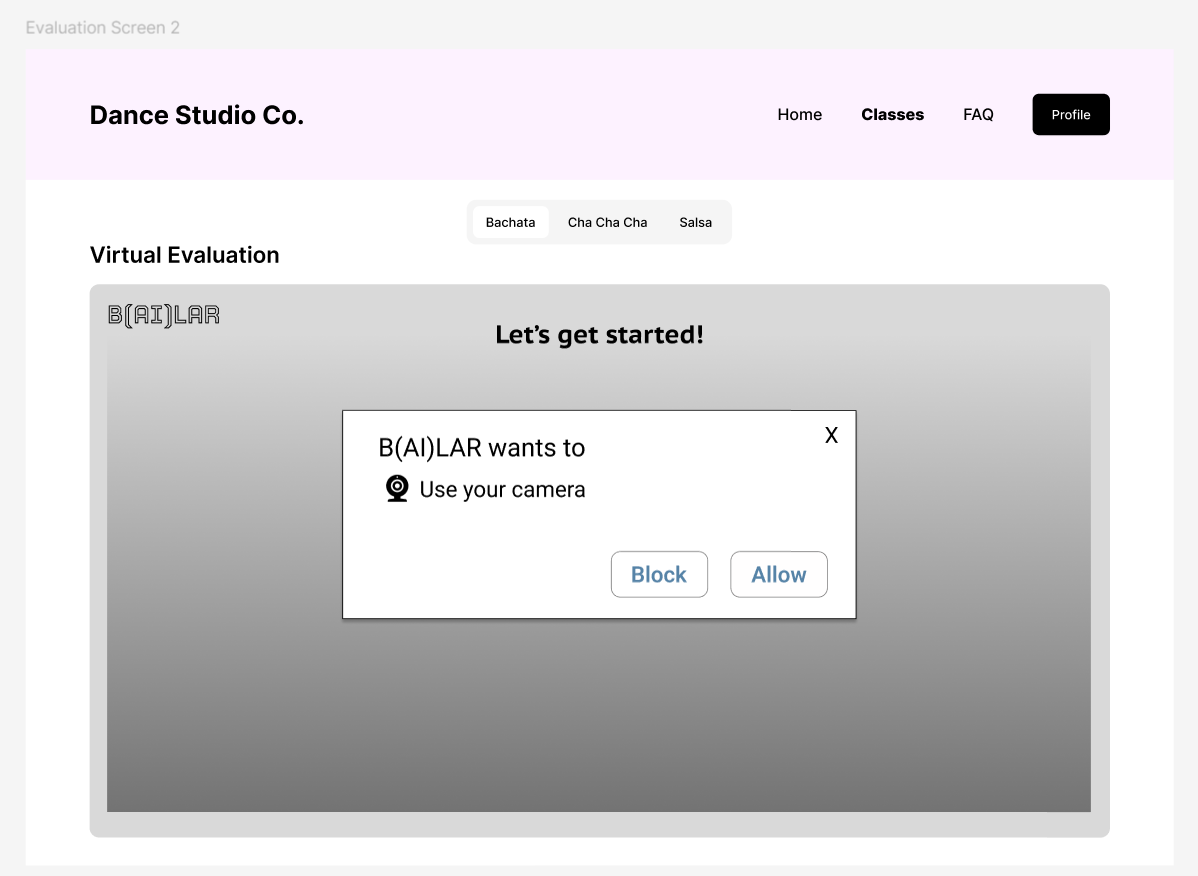
  • The system requires a webcam, so it must have the user's permission and show how that capability will be used
  • Only the most pertinent assessment information should be stored, accessible to authorized users alone

Transparency

  • Video demonstrations of each move for the directors building an evaluation
  • A list of the moves shown to the student before the assessment starts
  • Real-time feedback on success during the assessment
  • An explanation of why a class was recommended, so a user can spot anything inaccurate and raise it

Deceptive use

  • Without facial recognition, someone else could take the assessment on a student's behalf
  • Adding facial recognition was judged too great a privacy risk for the problem it solves
  • The consequence falls on the student: a higher recommendation only lands them in a class beyond their skill
  • There is no material risk to the studio, though studios could address it in company policy to protect against unfair feedback on class difficulty

Increasing Fidelity

Three steps took the concept to a working proof of concept.

  1. 01

    Wireframes

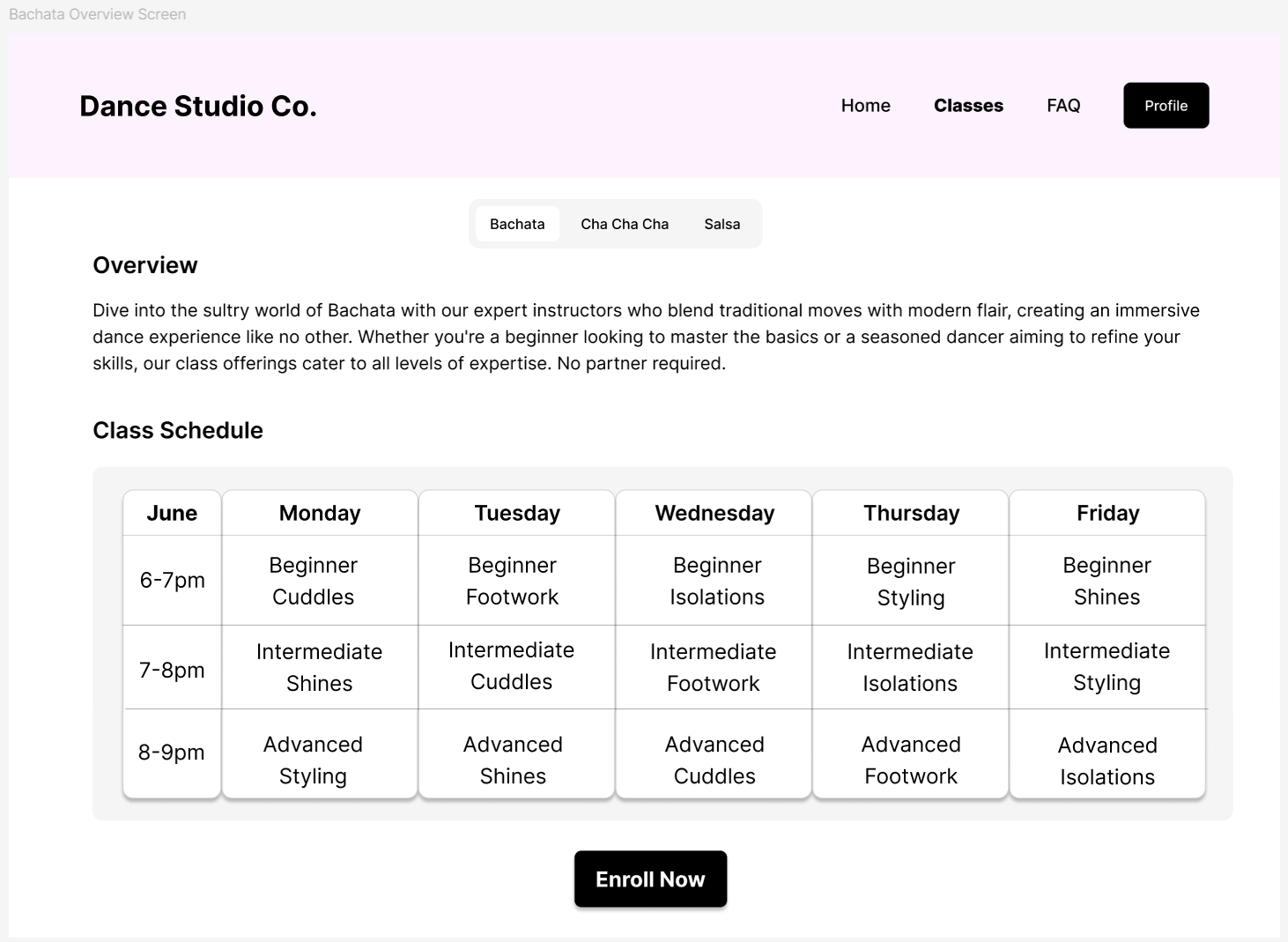
    Screens built in Figma covering the entire user flow, with the studio site kept deliberately plain so the AI interaction stays the focus.

  2. 02

    AI pose detection

    A test model trained in Teachable Machine, then screen-recorded from its live camera preview while executing the dance moves the evaluation requires.

  3. 03

    Prototype video

    A Wizard-of-Oz recording of the Figma preview, edited in ClipChamp to add the countdown, check marks and star rating Figma could not produce.

Prototype Demonstration

Since Teachable Machine does not recognise a series of poses as one whole move, the flow is shown Wizard-of-Oz style: a screen recording of the Figma preview, edited in ClipChamp to add the countdown, check marks and star rating.

The full enrollment and evaluation flow, end to end.

Design Rationale

Each part of the flow, and the reasoning behind the decisions that shaped it.

Enrollment Screens

  • Studio site content drawn from what Latin dance studios in my area actually put on their websites, kept light so it does not overwhelm the screen
  • The overview notes that the studio offers various levels, foreshadowing a key factor in the design problem
  • The class schedule is laid out so it is easy to browse the types of class available at each level
  • Enroll now is meant to read as the site pulling stored profile information to determine which classes the client is eligible for, since classes are progressive and evaluation is required
  • A returning client with information on file would see the eligible-classes table rather than being asked to fill anything out again
  • A single multiple-choice question on experience determines next steps: no evaluation for beginners, or which evaluation to offer
  • The in-person alternative sits in italics below, to quietly highlight that the virtual evaluation saves the client a commute and a scheduling problem
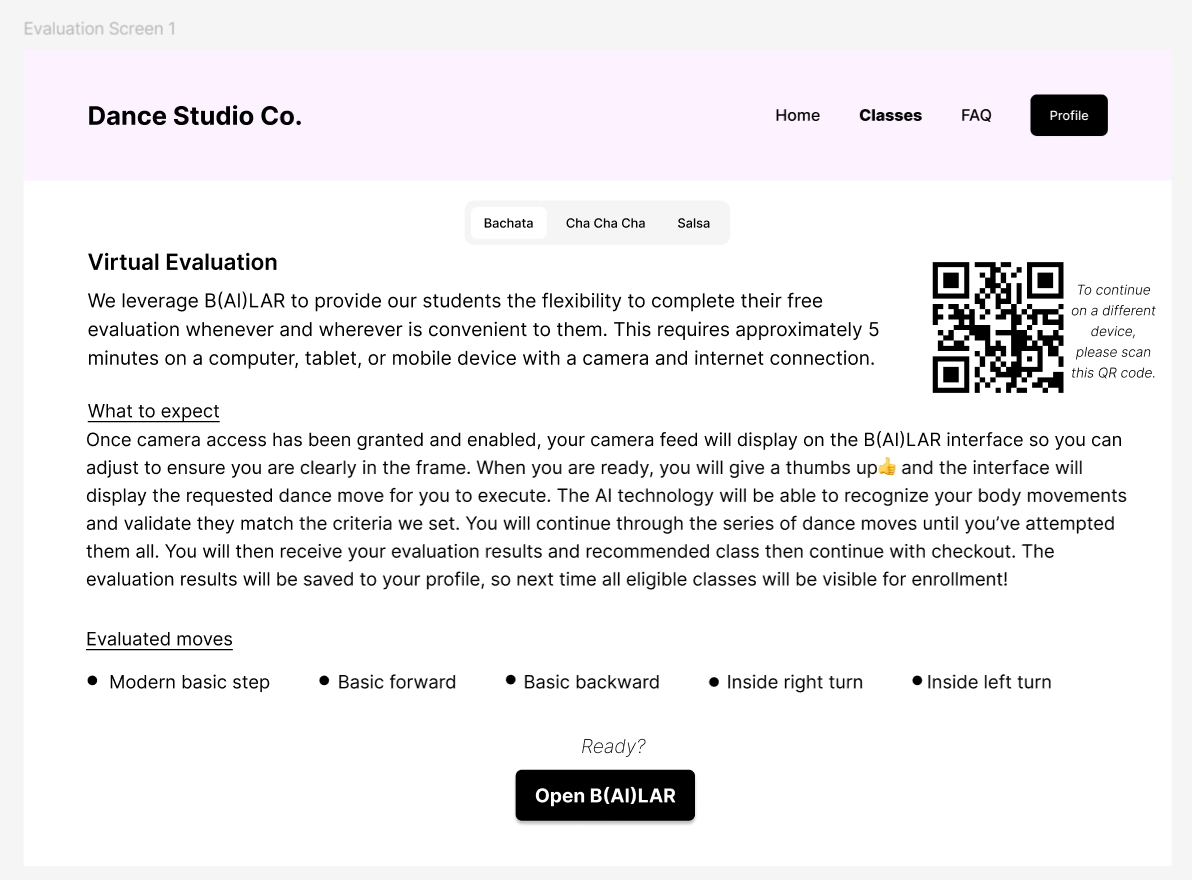
Virtual Evaluation intro explaining that B(AI)LAR gives students flexibility to complete a free evaluation whenever and wherever, needing about 5 minutes on a device with a camera and internet. A QR code sits at the top right to continue on a different device. A What to expect section describes granting camera access, adjusting to be in frame, giving a thumbs up, executing each requested move while the AI validates it, then receiving results and a recommended class saved to the profile. An Evaluated moves list gives modern basic step, basic forward, basic backward, inside right turn and inside left turn, above an Open B(AI)LAR button.
Evaluation 1

Getting Started

  • The first screen introduces the virtual evaluation and carries only what the client needs to feel comfortable starting
  • A QR code lets the user move to a more suitable device, since they may have entered this flow on something without a usable camera
  • Listing the evaluated moves up front helps the user understand how this studio defines the level, and judge whether they are ready

Camera & Framing

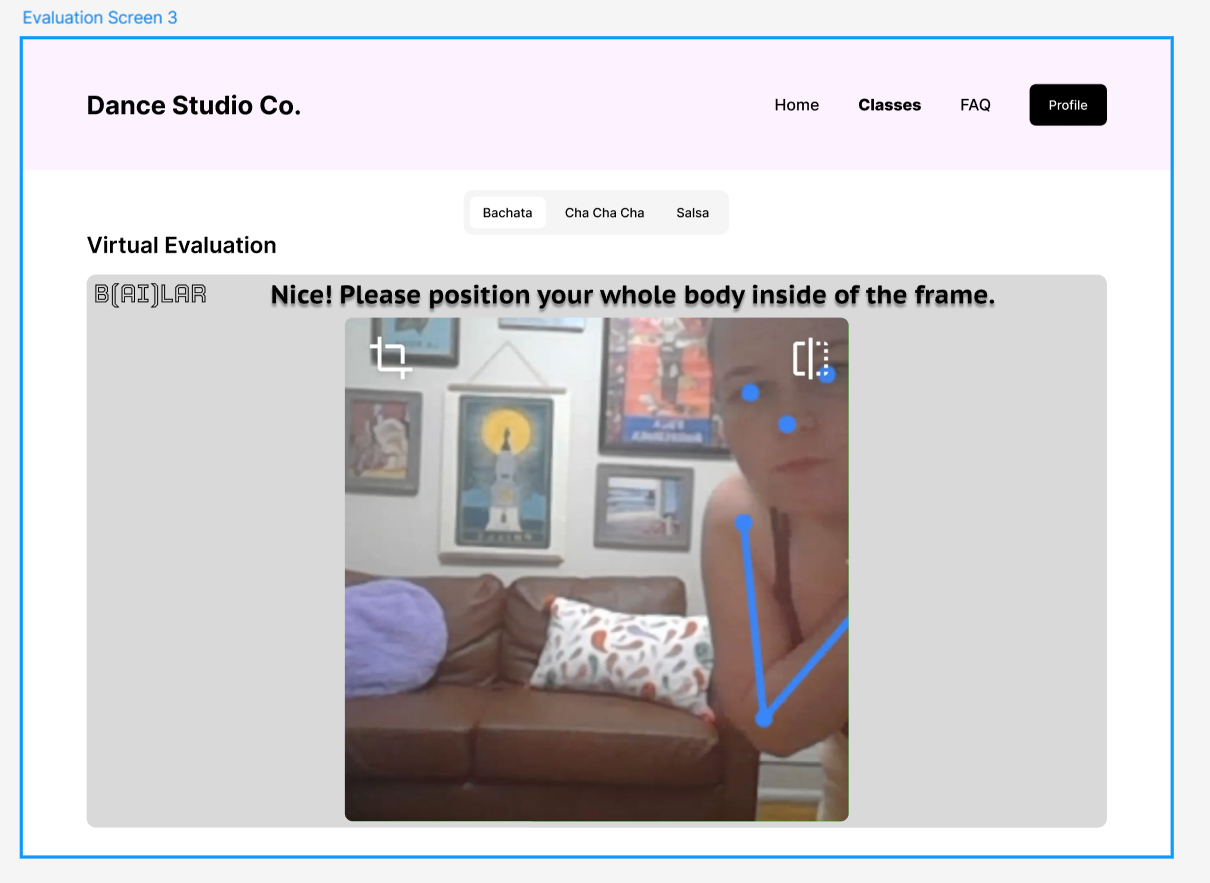
  • B(AI)LAR is embedded in the studio’s own site rather than redirecting, so a request for camera access does not feel like a spam site, which also reduces drop-off
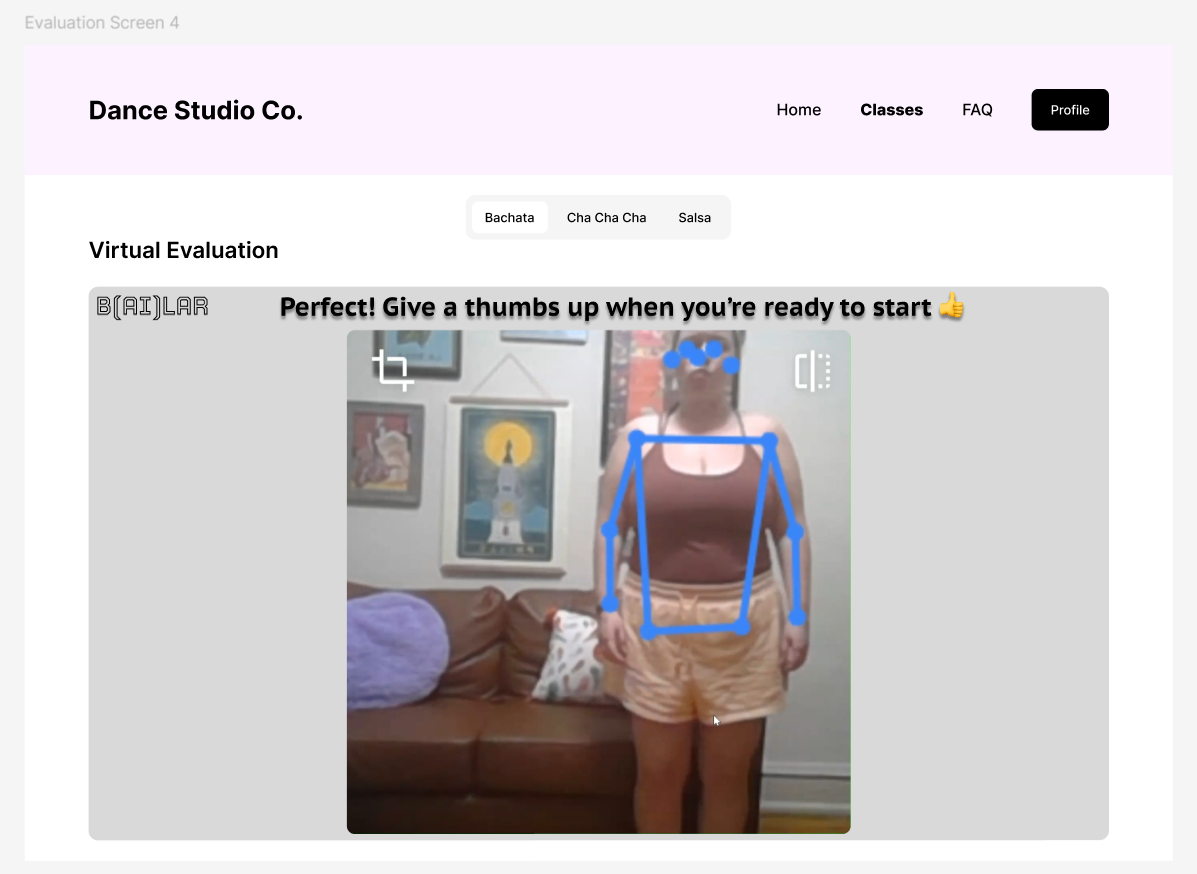
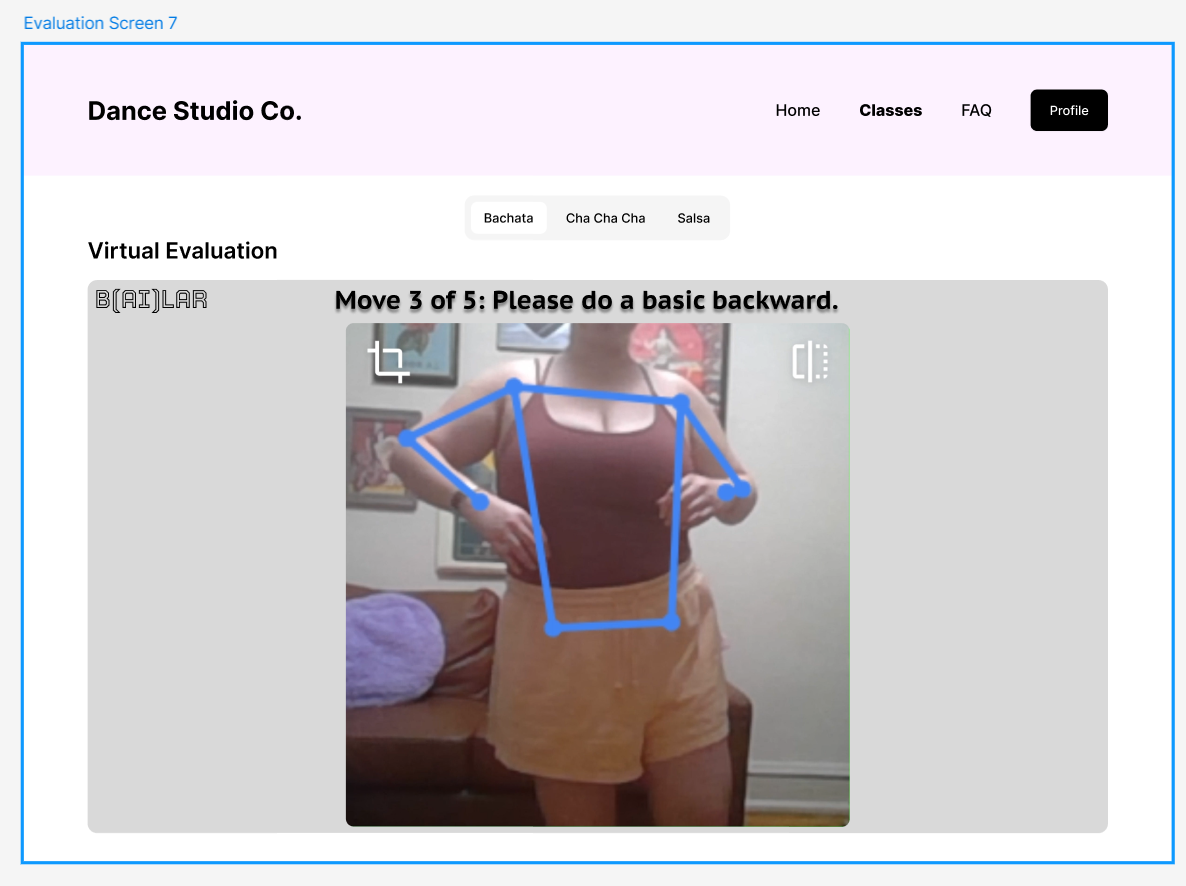
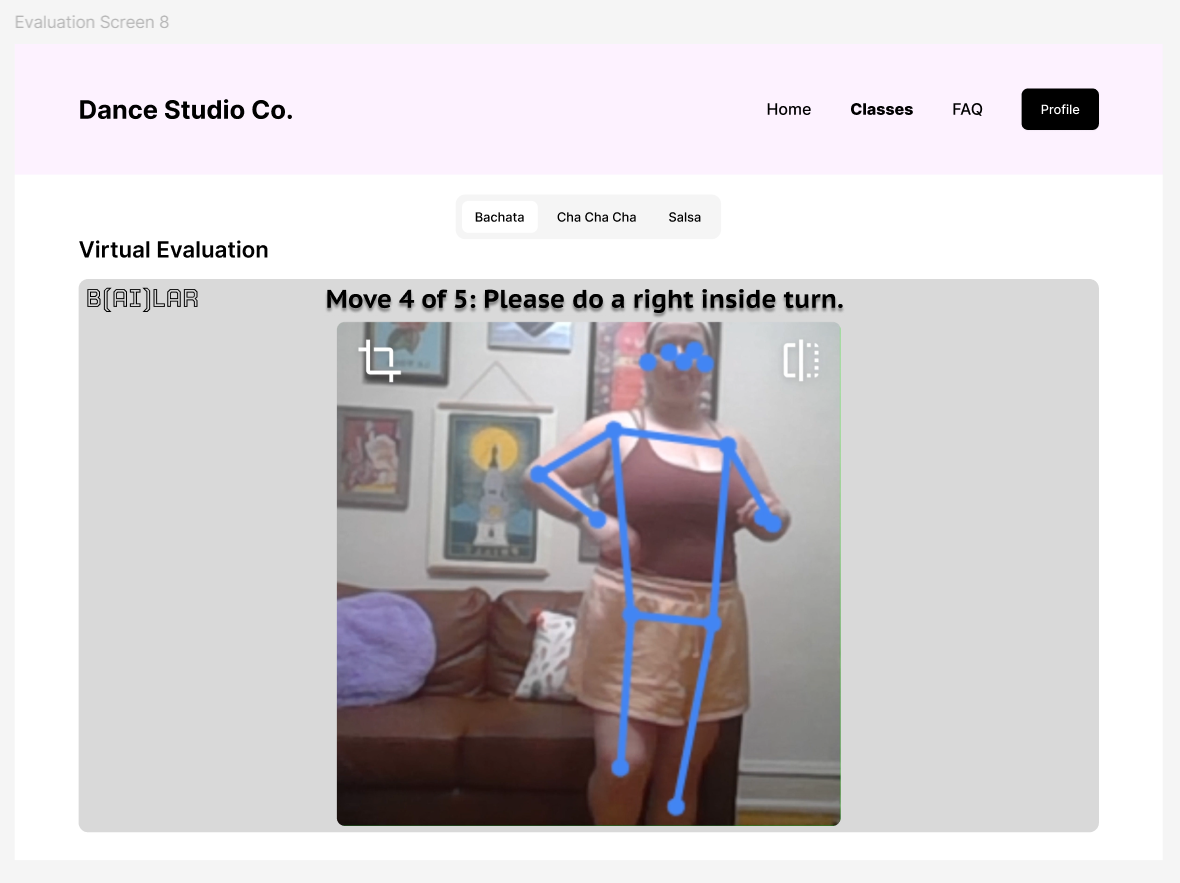
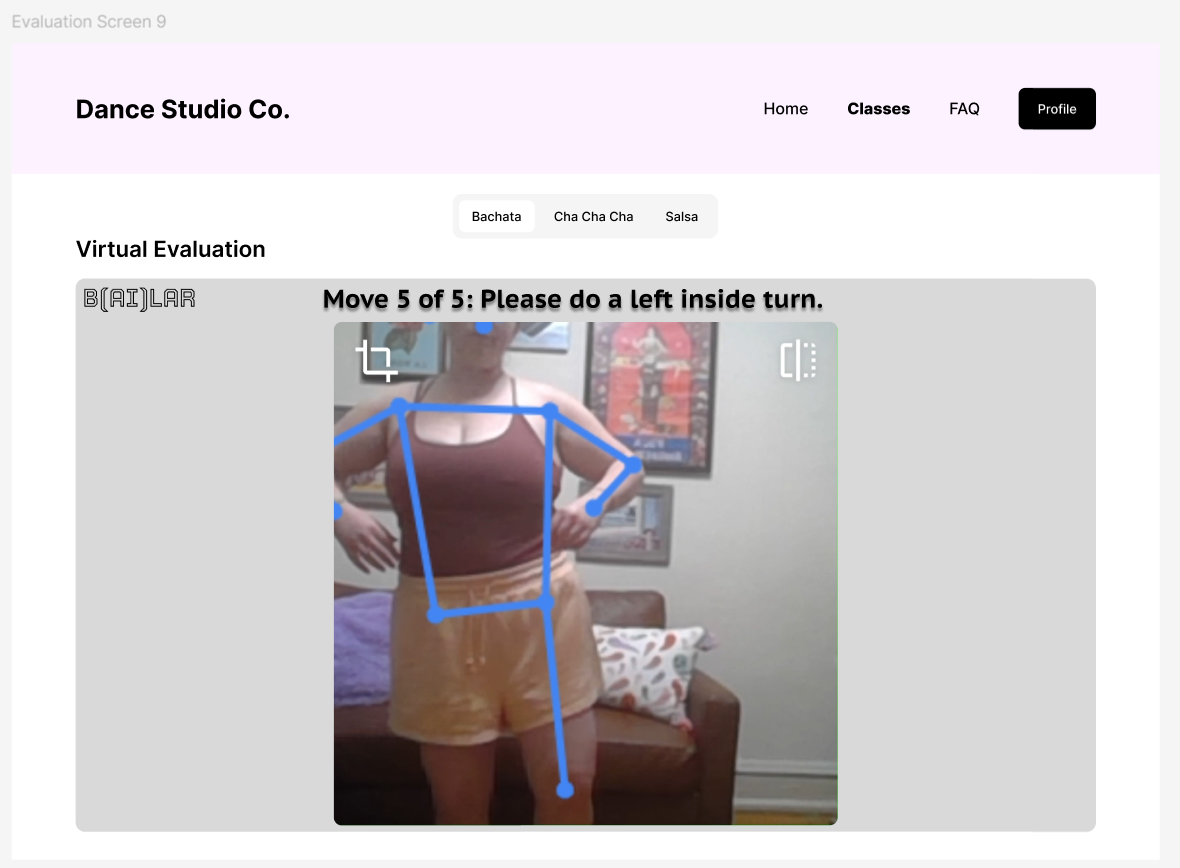
  • Once the camera is on, the user sees themselves and the lines the system recognises on their body, so they can tell when something is not working
  • The system will not advance until it can clearly see the person centred in frame
  • A thumbs up starts the evaluation, letting the client decide when they are ready even if the system is ready first
  • A countdown then signals the moment the evaluation begins

The Five Moves

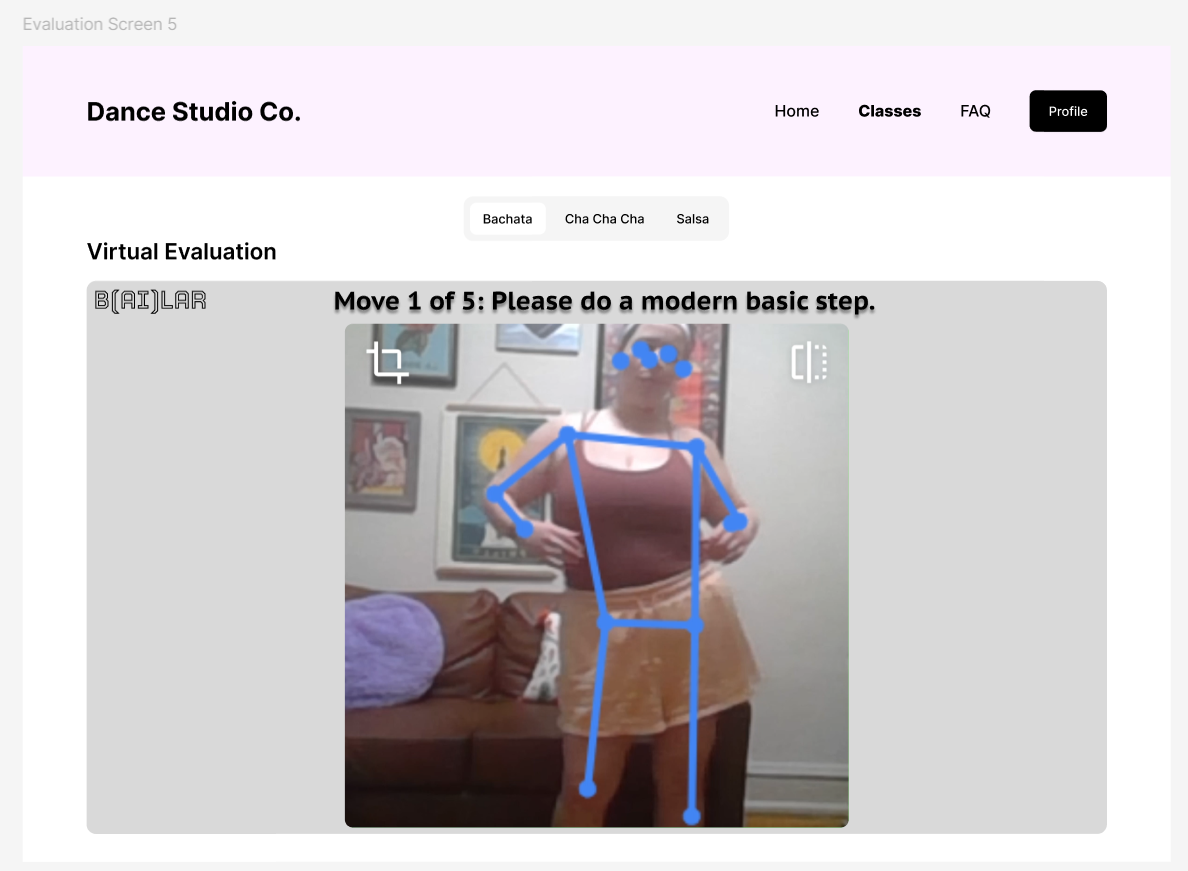
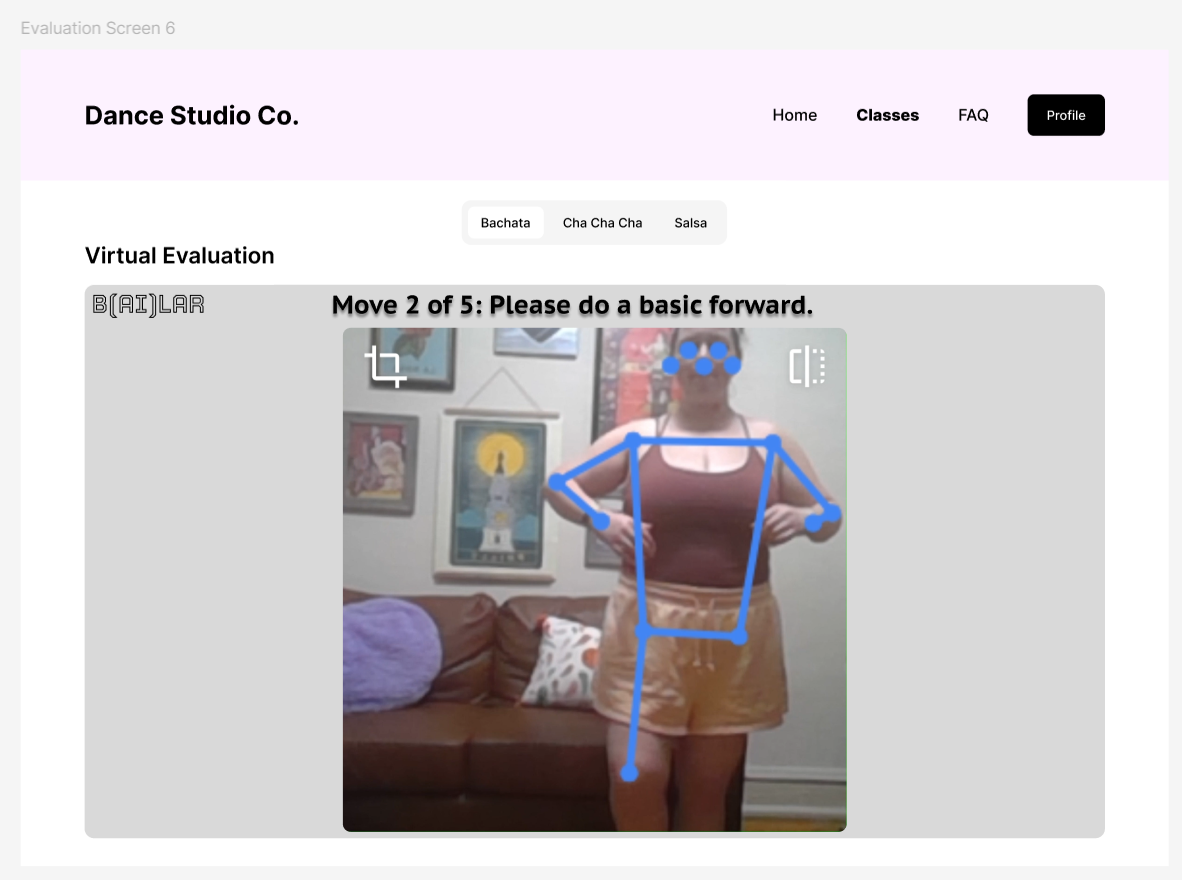
  • During the evaluation only the requested move and a Move # of 5 progress status appear, cutting redundant information and distraction
  • A check mark appears once the minimum steps for a move are satisfied, giving real-time feedback
  • The five moves match the list shown before the evaluation began, so nothing is a surprise

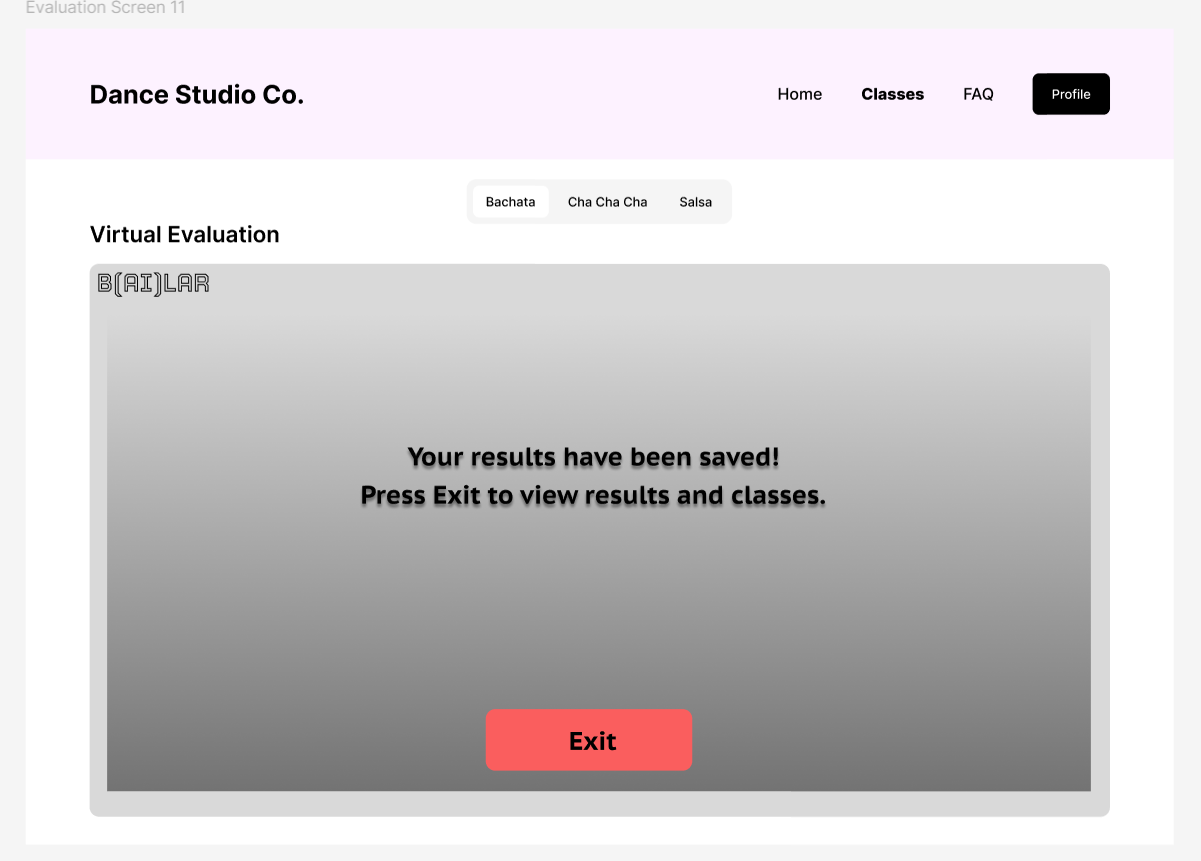
Completing the Evaluation

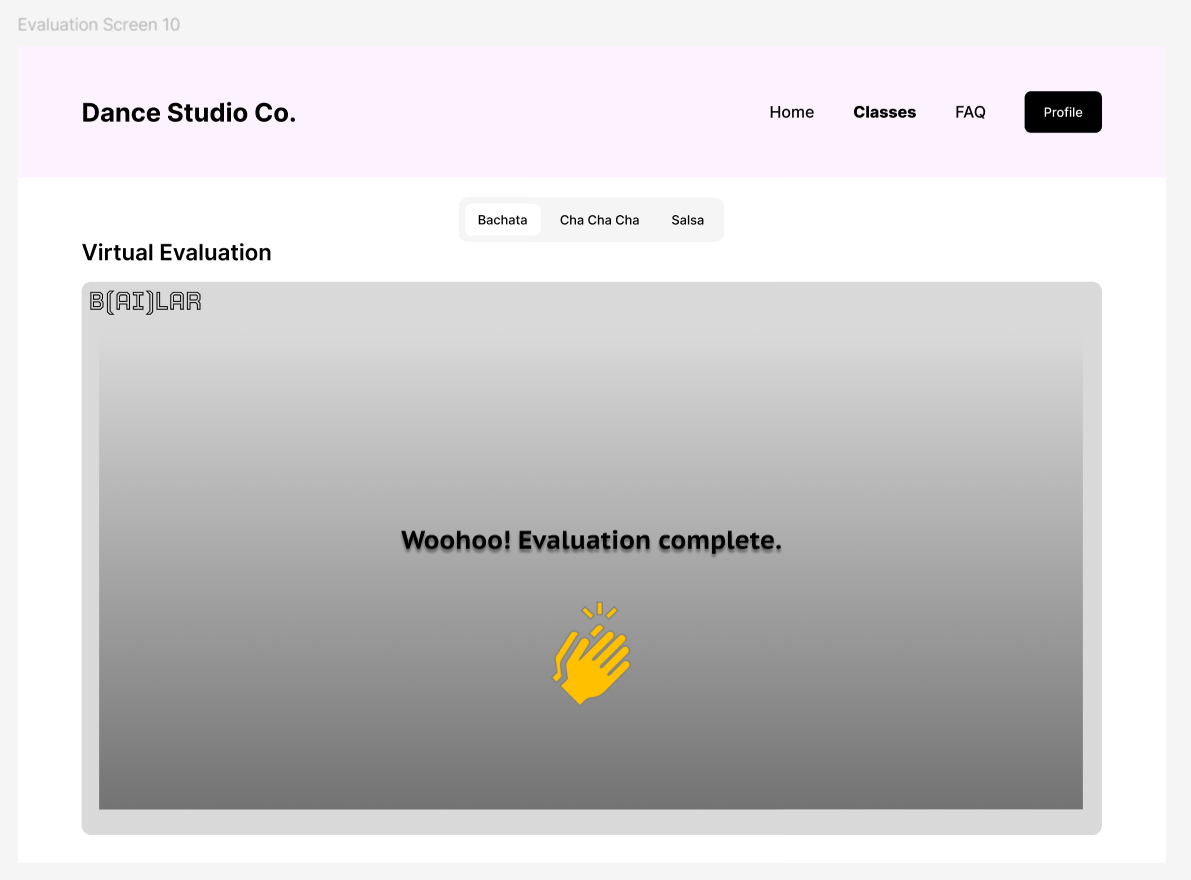
  • The camera turns off the moment the evaluation completes, while the interface is still open, making it clear the system can no longer see them
  • The client clicks exit manually, drawing them back to their device for class selection and checkout
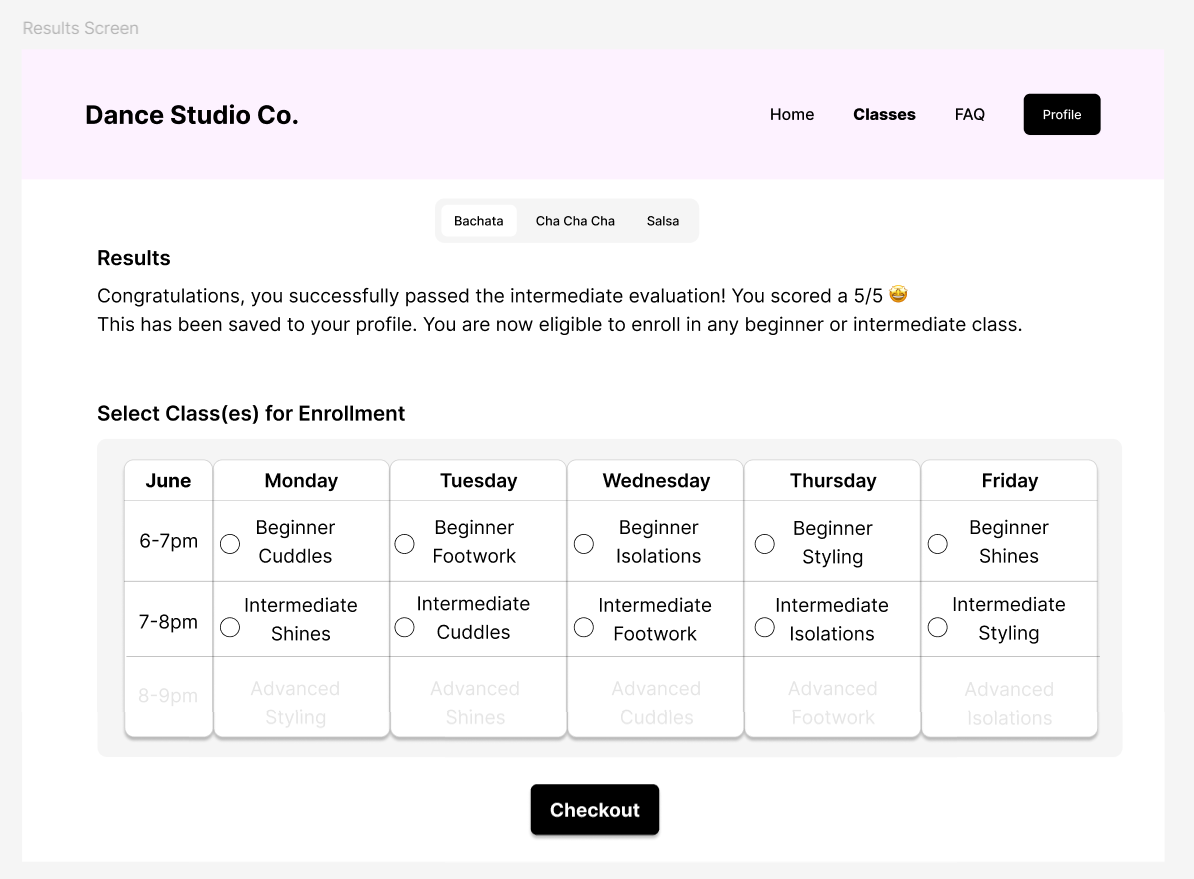
Results screen congratulating the client on passing the intermediate evaluation with a score of 5/5, noting the result has been saved to their profile and that they are now eligible for any beginner or intermediate class. Below, Select Class(es) for Enrollment shows the June schedule as a table of Monday to Friday against three time slots, with a radio button beside each 6-7pm beginner and 7-8pm intermediate class; the 8-9pm advanced row is greyed out and unselectable. A Checkout button sits below.
Results screen

Results Screen

  • The score is posted again in case it was missed on the B(AI)LAR interface before it disappeared
  • Reaffirms that the result was saved to the profile, implying the client will stay eligible and will not need to do this again
  • The class schedule returns in the same format, now with buttons, so a table the client already knows how to read is the thing they act on

AI Pose Detection

  • The intent was a Teachable Machine model trained to detect a user’s poses and validate them against the expected dance move
  • A pose was planned for each step of each move, but after the first move the interface, which cannot be customised without JavaScript, was overwhelming with a confidence score shifting for every step
  • The moves were also too similar to separate without model refinement and exaggerated motion from the user
  • Teachable Machine pose models suit single poses rather than a series that together satisfy one larger requirement
  • The trained model was dropped in favour of a Wizard-of-Oz portrayal of what the experience would be if the technology were more advanced

Evaluation

Time constraints ruled out recruiting participants, so I ran the usability testing myself, wiring connectivity between elements in Figma so buttons and pop-ups behaved as they would in the real flow. More perspectives are needed, but I have experience enrolling in dance classes online and was comfortable with the notes I made at the end of the process.

Favorite Elements

  • The QR code to switch devices, which offers flexibility given the user may not have entered this flow expecting a camera to be involved
  • The evaluation being embedded in the site, with no further account creation required, making the process feel genuinely seamless
  • Logic that assesses which evaluation the user should take and highlights only the classes they are eligible for, preventing an evaluation at the wrong level or a signup for an unsuitable class
  • Listing exactly which moves will be evaluated beforehand, which helps the user understand how this studio defines the level and judge whether they are ready

Suggestions

  • Make the what-to-expect section easier to skim
  • Incorporate audio instructions for the virtual evaluation
  • Use larger written instructions on the evaluation screen, since the device may be far from the user
  • Offer the option to play a bachata beat during the evaluation, as most in-person evaluations have music
  • Provide an easy way to return to the evaluation if the user cannot finish it in that moment

Concerns

  • I had to change from black to orange shorts because the camera could not separate my legs from a dark couch behind me, which could inconvenience a user or make the system unusable
  • It is unclear what happens when a move is performed incorrectly: is there a retry, or only one chance?
  • There is lag in the video that I do not recall while dancing live, and latency could distract the user or corrupt their results
  • The blue lines show what the system recognises, but there is no confidence score and no way to flag that the user is doing something correctly when B(AI)LAR does not register it

Reflection

The design process worked: it produced a proof-of-concept prototype in which a user can bypass an in-person dance evaluation by completing it online with AI pose recognition.

What I wish I had realised sooner is that it would have been easier to edit the changing directions into the video in ClipChamp rather than building individual Figma wireframes for them. That created a lot of manual effort cropping videos to the exact frame to keep everything seamless. Leaving the instructions out of the wireframes, using one continuous dance clip and adding the directions in ClipChamp would have pulled everything together more easily.

I learned that Teachable Machine was useful here only for Wizard-of-Oz prototyping, and that technologists would be needed to develop a viable product and incorporate studio owner requirements.

Talking to my dance instructor, I also learned that his evaluation for a coveted dance instructor certification will be conducted over Zoom, because the only in-person option is in Barcelona. I had thought the physical barrier was a fault in my concept, since you cannot feel the tension in a partner's frame remotely. If one of the most elite certifications can be done over Zoom, I think I am onto something, and I would be interested in seeing where this goes with further development.